충격적인 수치 훅
예상 밖의 사실이나 성과를 제시하면 시청자의 관심을 즉시 끌 수 있습니다. “이런 것도 가능하다고?!” 같은 문구로 시작해 기존 상식을 뒤엎는 관점이나 큰 가치를 빠르게 던지면 호기심을 자극하고 고정관념을 바꿀 수 있습니다.
상세 분석 보기크리에이티브 분석

In the analyzed video, Holden Mann uses a First-person POV structure, opens with Shock-stat hooks, and builds purchase intent through Convenience angle. This observation is based only on this video's script, storyboard, and public performance data.
무료로 유사 동영상 만들기크리에이티브 분석
In the analyzed video, Holden Mann uses a First-person POV structure, opens with Shock-stat hooks, and builds purchase intent through Convenience angle. This observation is based only on this video's script, storyboard, and public performance data.
예상 밖의 사실이나 성과를 제시하면 시청자의 관심을 즉시 끌 수 있습니다. “이런 것도 가능하다고?!” 같은 문구로 시작해 기존 상식을 뒤엎는 관점이나 큰 가치를 빠르게 던지면 호기심을 자극하고 고정관념을 바꿀 수 있습니다.
상세 분석 보기이 시점은 시청자가 직접 경험하는 듯한 느낌을 줍니다. 손으로 촬영한 셀피 영상으로 제품의 디테일과 사용 과정을 보여 주어 현장감 있는 진정성을 만들고, 시청자와의 거리를 좁혀 구매 관심을 높입니다.
상세 분석 보기제품 성공의 핵심은 매끄러운 사용 경험이나 다양한 기능을 제공하는 데 있습니다. 개봉부터 사용까지의 간편한 과정을 보여 주거나, 썰기·채썰기·착즙을 한 기기로 해결하는 다기능성을 강조하면 효율성과 편리함을 중시하는 소비자에게 효과적으로 다가갈 수 있습니다.
상세 분석 보기I am gonna show you how to add four terabytes of storage to your PS5 in under 20 seconds. The same upgrade also makes your PS5 better than a gaming PC. This is an NVMe M.2 SSD, and the PS5 is already better in every single way. It just doesn't come with enough storage from the factory, but with an SSD you can add anywhere between 500 gigabytes of storage all the way up to four freaking terabytes. And the upgrade only takes 20 seconds to install.
Just start by turning your PS5 off properly. Go ahead and start with your PS5 up straight, then go ahead and lay it down to the left. Peel up this back corner over here and pull the opposite direction, and that is gonna expose the SSD cover. Take out screw number one. Once you remove the cover, that's gonna expose the inside of the SSD slot. Locate the slot on the SSD and the slot inside the PS5, line those up, snap it into place, secure it down, and just like that, you can put your PS5 back together. And it's that simple.
I added four terabytes of storage to my PS5 so I will never worry about storage ever again. GTA six is gonna be over five hundred gigabytes just for the one game, so you are not playing it without an SSD. Rockstar has stated this, but storage is extremely expensive and it keeps going up every single year with AI coming out and the bigger that games get. I left the orange shopping cart right down here because TikTok is working with this company to make these SSDs affordable so everybody can play GTA six when it comes out. The only thing is since they went on sale, they've already sold out a few of their different storage sizes, so if you still see this orange shopping cart, I'd go get an NVMe M.2 SSD before the rest are gone.
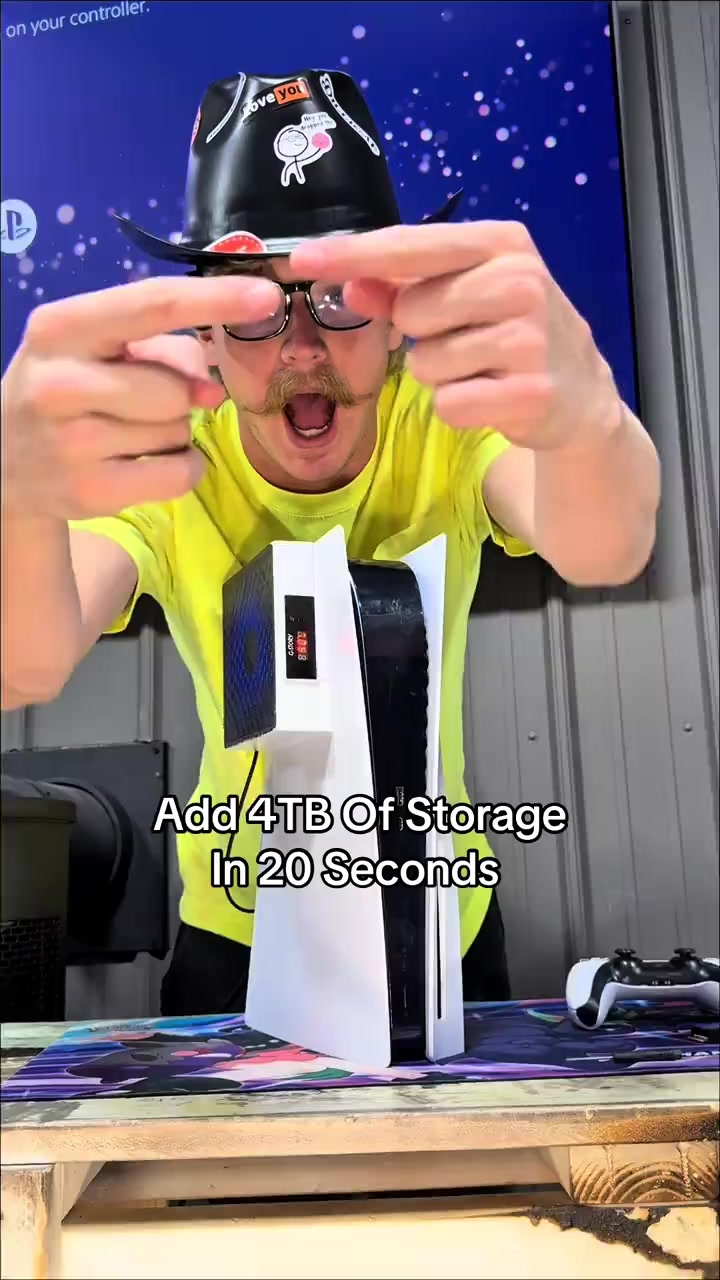
The blogger points at the camera to introduce the topic, shows the PS5 console, controller, headphones and JUPITER M.2 SSD, and demonstrates on the screen that the storage space is upgraded from less than 670GB to 4TB, explaining the necessity of installing the SSD.
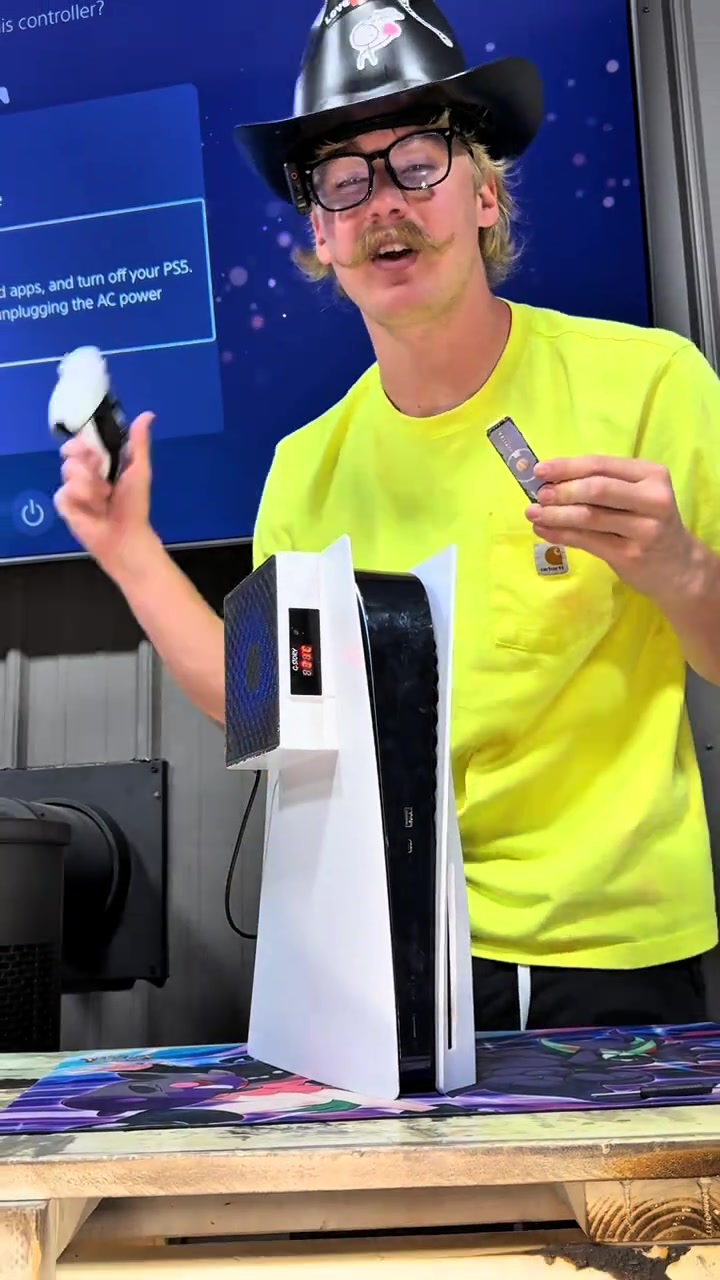
The blogger shows the PS5 shutdown screen, follows the steps to remove the PS5 shell, unscrew the SSD slot cover screw, align the interface to install and fix the M.2 SSD, then restore the console shell to complete the entire installation process.
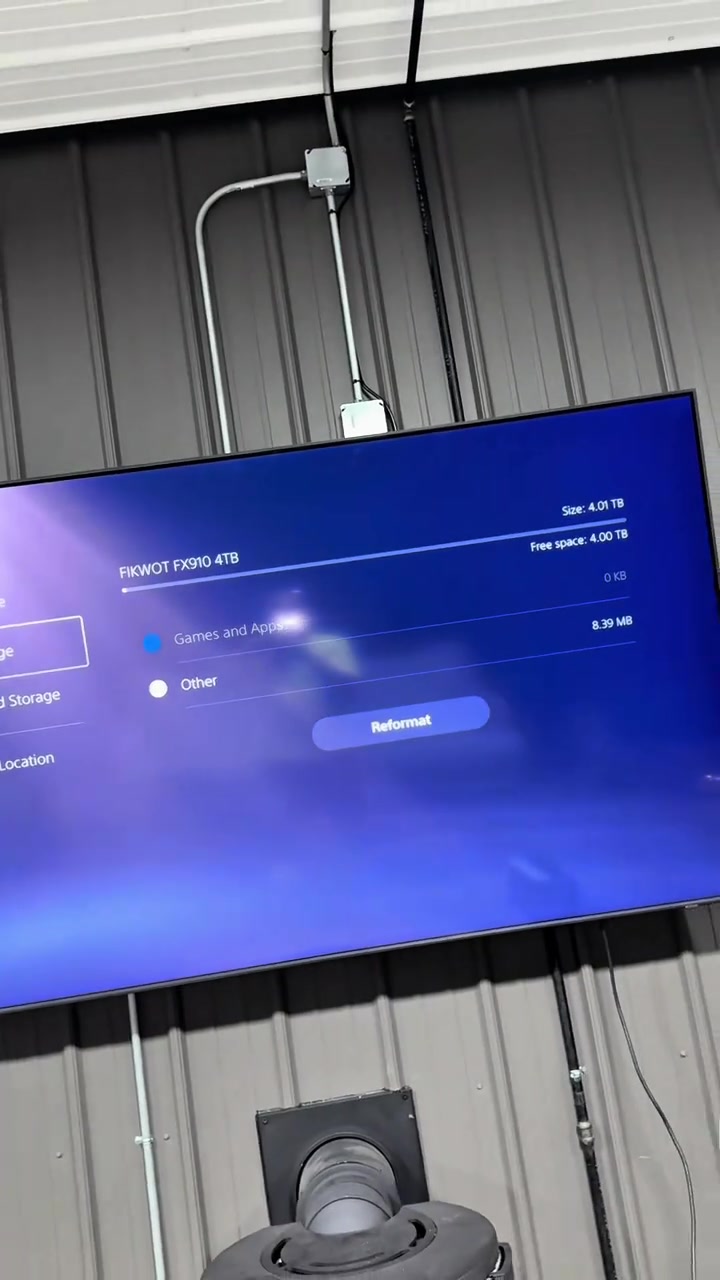
The blogger shows the interface that the PS5 recognizes the 4TB large storage space after the upgrade, explains the necessity of large storage for huge games like GTA6, emphasizes the growing scarcity of storage resources, shows product details and limited-time offers, guiding viewers to place orders as soon as possible.
자주 묻는 질문
이 동영상의 크리에이티브 전략, 크리에이터, 지표 및 유사 동영상 제작에 관한 질문입니다.
이 동영상은 “충격적인 수치 훅”으로 시작합니다. 수집된 동영상 내용과 분석 필드를 기반으로 한 분류이며, 첫 몇 초 동안 관심을 끄는 방식을 이해하는 데 참고할 수 있습니다.
주요 판매 포인트는 “편의성 강조”이고 동영상 구성은 “1인칭 POV”입니다. 상품, 타깃 시청자, 브랜드 표현에 맞게 조정하세요.
현재 데이터에는 Holden Mann 님이 크리에이터로 표시되어 있습니다. 가능한 경우 공개 TikTok 프로필로 이동할 수 있습니다.
네. Octer는 원본 영상을 직접 복사하지 않고 훅, 속도, 구성, 표현 방식을 참고해 상품 정보와 결합합니다.
아닙니다. 가장 최근에 수집된 공개 데이터이며 플랫폼 업데이트와 집계 기간에 따라 지연될 수 있습니다.
원작자의 영상, 음악, 초상 또는 브랜드 자산을 직접 재사용하지 마세요. 게시 전에 사용 권한과 관련 플랫폼 규정을 확인하세요.