In the analyzed video, Holden Mann uses a First-person POV structure, opens with Shock-stat hooks, and builds purchase intent through Convenience angle. This observation is based only on this video's script, storyboard, and public performance data.
In the analyzed video, Holden Mann uses a First-person POV structure, opens with Shock-stat hooks, and builds purchase intent through Convenience angle. This observation is based only on this video's script, storyboard, and public performance data.
Unerwartete Fakten oder beeindruckende Ergebnisse ziehen sofort Aufmerksamkeit auf sich. Ein Einstieg wie „Das geht wirklich?!“ präsentiert schnell eine überraschende Erkenntnis oder einen außergewöhnlichen Mehrwert, weckt Neugier und stellt bisherige Annahmen infrage.
Diese Perspektive vermittelt Zuschauern das Gefühl, das Produkt selbst zu erleben. Handgeführte Selfie-Aufnahmen zeigen Produktdetails und die Anwendung, schaffen authentische Nähe und wecken dadurch das Kaufinteresse.
Ein nahtloses Nutzungserlebnis oder vielseitige Funktionen sind entscheidend für den Produkterfolg. Der einfache Ablauf vom Auspacken bis zur Anwendung oder ein All-in-one-Design zum Schneiden, Raspeln und Entsaften spricht Verbraucher an, die Wert auf Effizienz und Komfort legen.
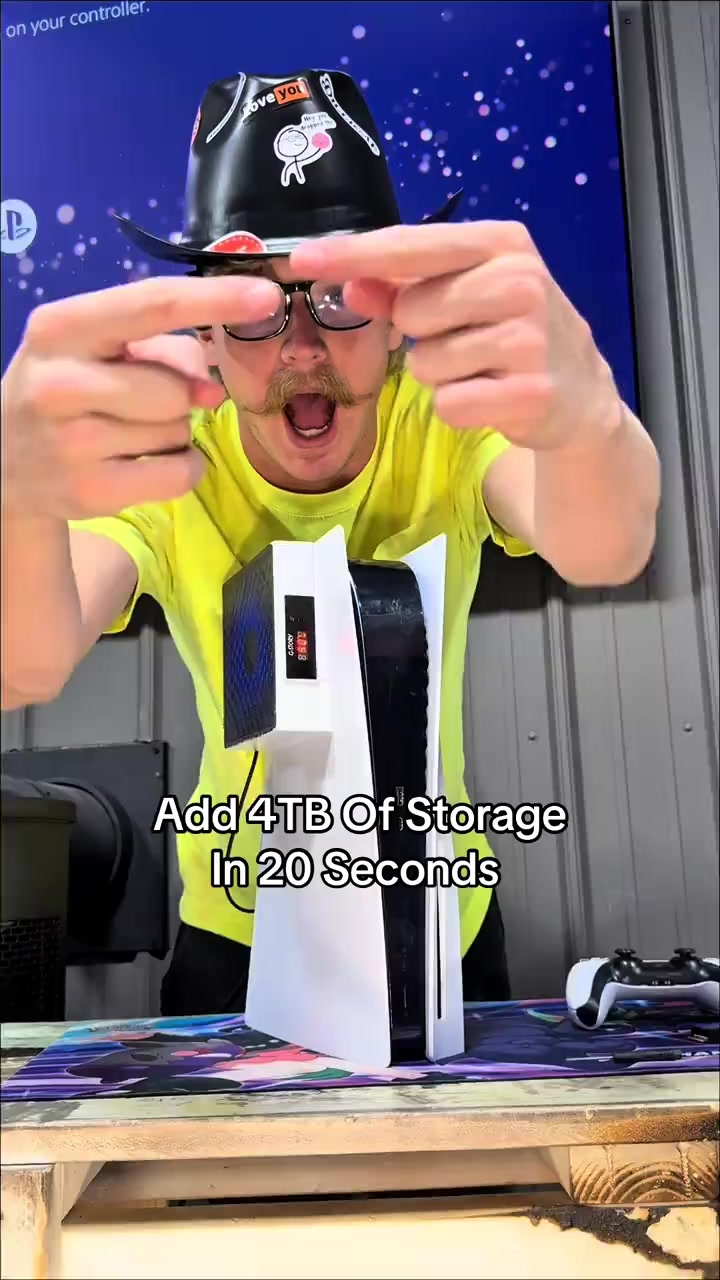
I am gonna show you how to add four terabytes of storage to your PS5 in under 20 seconds. The same upgrade also makes your PS5 better than a gaming PC. This is an NVMe M.2 SSD, and the PS5 is already better in every single way. It just doesn't come with enough storage from the factory, but with an SSD you can add anywhere between 500 gigabytes of storage all the way up to four freaking terabytes. And the upgrade only takes 20 seconds to install.
Instructions for Use
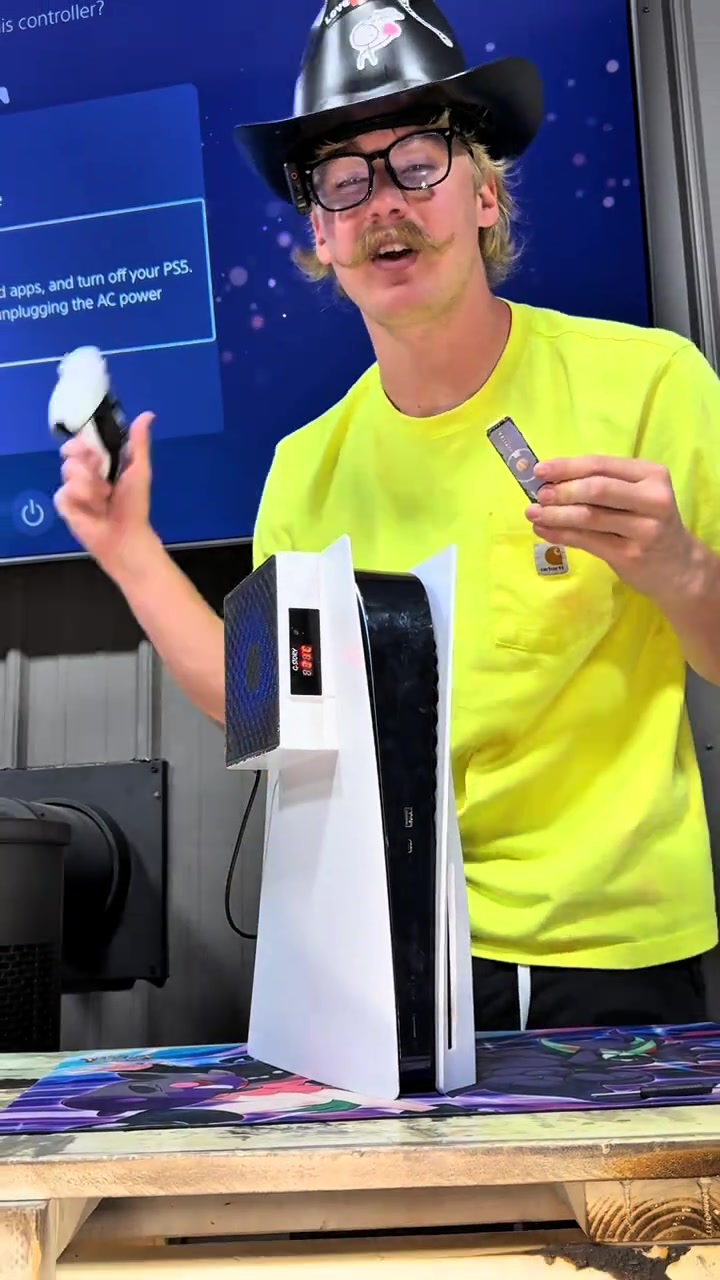
Just start by turning your PS5 off properly. Go ahead and start with your PS5 up straight, then go ahead and lay it down to the left. Peel up this back corner over here and pull the opposite direction, and that is gonna expose the SSD cover. Take out screw number one. Once you remove the cover, that's gonna expose the inside of the SSD slot. Locate the slot on the SSD and the slot inside the PS5, line those up, snap it into place, secure it down, and just like that, you can put your PS5 back together. And it's that simple.
Call to Action
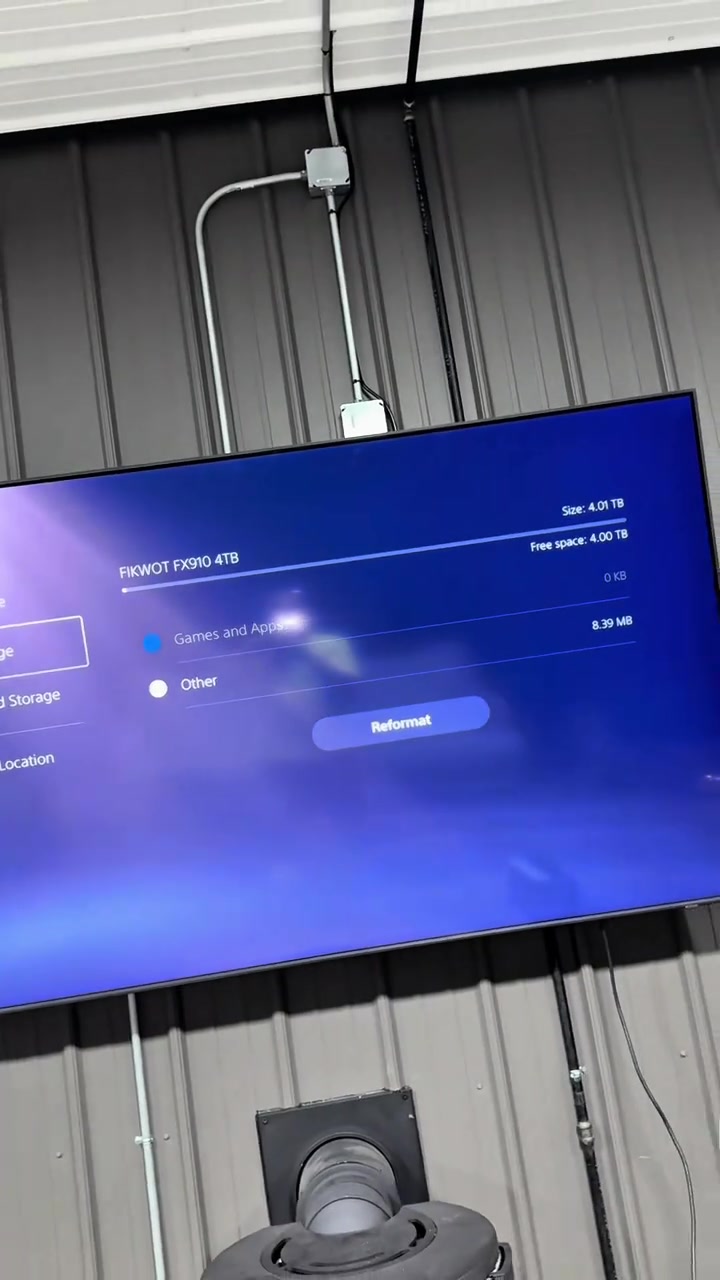
I added four terabytes of storage to my PS5 so I will never worry about storage ever again. GTA six is gonna be over five hundred gigabytes just for the one game, so you are not playing it without an SSD. Rockstar has stated this, but storage is extremely expensive and it keeps going up every single year with AI coming out and the bigger that games get. I left the orange shopping cart right down here because TikTok is working with this company to make these SSDs affordable so everybody can play GTA six when it comes out. The only thing is since they went on sale, they've already sold out a few of their different storage sizes, so if you still see this orange shopping cart, I'd go get an NVMe M.2 SSD before the rest are gone.
Storyboard-Analyse
Medium Shot
The blogger points at the camera to introduce the topic, shows the PS5 console, controller, headphones and JUPITER M.2 SSD, and demonstrates on the screen that the storage space is upgraded from less than 670GB to 4TB, explaining the necessity of installing the SSD.
Close-up
The blogger shows the PS5 shutdown screen, follows the steps to remove the PS5 shell, unscrew the SSD slot cover screw, align the interface to install and fix the M.2 SSD, then restore the console shell to complete the entire installation process.
Medium Shot
The blogger shows the interface that the PS5 recognizes the 4TB large storage space after the upgrade, explains the necessity of large storage for huge games like GTA6, emphasizes the growing scarcity of storage resources, shows product details and limited-time offers, guiding viewers to place orders as soon as possible.
Häufig gestellte Fragen
FAQ zum Video Add 4TB Of Storage In 20 Seconds
Fragen zur Kreativstrategie, zum Creator, zu Kennzahlen und zur Erstellung eines ähnlichen Videos.
Welchen Einstieg verwendet das Produktvideo zu FIKWOT Internal Gaming SSD- FX991/FX910 (Heatsink)?
Das Video beginnt mit „Überraschende Zahl“. Die Einordnung basiert auf den erfassten Videoinhalten und Analysedaten und hilft zu verstehen, wie die ersten Sekunden Aufmerksamkeit erzeugen.
Welches Verkaufsargument und welche Struktur nutzt das Video?
Das wichtigste Verkaufsargument ist „Komfort als Vorteil“, die Struktur ist „Ich-Perspektive“. Passen Sie diese Ansätze an Produkt, Zielgruppe und Markenstimme an.
Ist Holden Mann der Creator dieses Videos?
Im aktuellen Datensatz ist Holden Mann als Creator angegeben. Sofern verfügbar, führt der Name zum öffentlichen TikTok-Profil.
Kann ich anhand des Videos zu FIKWOT Internal Gaming SSD- FX991/FX910 (Heatsink) ein ähnliches Video erstellen?
Ja. Octer nutzt Einstieg, Tempo, Struktur und Präsentation als kreative Referenz und kombiniert sie mit Ihren Produktinformationen, ohne das Originalmaterial zu kopieren.
Sind Aufrufe, Interaktionen und Produktkennzahlen in Echtzeit?
Nein. Angezeigt werden die zuletzt erfassten öffentlichen Daten. Durch Plattform-Updates und Berichtszeiträume kann es Verzögerungen geben.
Was muss ich bei der Nutzung dieses Referenzvideos beachten?
Verwenden Sie Video, Musik, Bildnis oder Markenmaterial des ursprünglichen Creators nicht direkt. Prüfen Sie vor der Veröffentlichung alle Rechte und Plattformregeln.