No Hook
Videos that begin without a distinct attention-grabbing hook.
View breakdownCreative breakdown

A day-in-the-life format introduces the Insta360 GO Ultra Creator Bundle, positioning the tiny hands-free camera as something to carry through everyday moments.
Try creating a similar video for freeView source on TikTokCreative breakdown
A day-in-the-life format introduces the Insta360 GO Ultra Creator Bundle, positioning the tiny hands-free camera as something to carry through everyday moments.
Videos that begin without a distinct attention-grabbing hook.
View breakdownA seamless user experience or versatile functionality is key to a product’s success. Showing how easy it is to go from unboxing to use, or highlighting an all-in-one design with functions such as slicing, shredding, and juicing, effectively appeals to consumers seeking speed and convenience.
View breakdownGuys, may bago na naman akong tech find, and honestly kung mahilig kayo mag vlog or gusto ninyong gumawa ng content pero nahihiya kayo, or gusto niyo lang compact yung dala niyo, baka magustuhan niyo to. This is the Insta360 Go Ultra. Super compact niya, ang liit lang kaya sobrang convenient dalhin kahit saan. Perfect for capturing every moment.
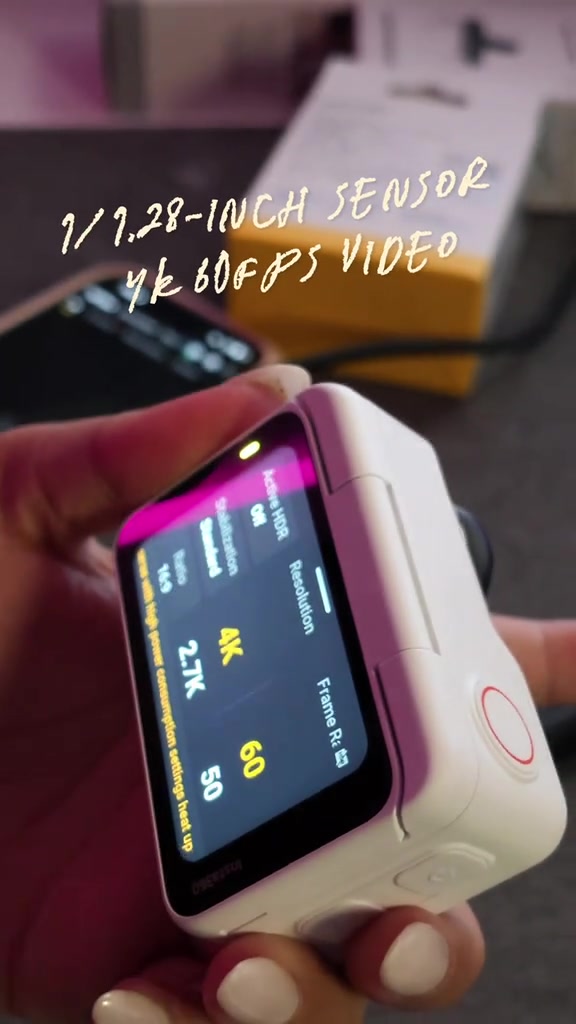
Pero don't underestimate its size ha, cause it can shoot up up to 4K at 60 frames per second.
So kahit maliit siya, you can capture really nice and detailed videos. Ang gusto ko dito, you can use its magnetic design para makapag shoot ng hands free pov videos.
Imagine habang nag luluto, nag ta travel, nag sho shopping, nag o unboxing, or kahit pasuot mo sa boyfriend mo para i follow ko lang siya habang nag lalakad. Di ba, you can easily capture everything with this camera.
And of course may flow state stabilization din siya, so you can get smoother footage, kahit gumagalaw ka or you're shooting on the go.
For me, this is a pretty useful gadget, especially kung ayaw mong palaging mag set up ng malaking camera, just to capture simple moments. So if you're looking for a new camera for your content creation, check out the Insta360 Go Ultra.

The young Asian woman, wearing a black top, appears in multiple scenes including outdoor lawn, restaurant, digital store, and car interior in sequence. She makes daily actions such as waving, adjusting her hair, and clinking drinks. The watermark of Insta360 GO Ultra is displayed at the bottom of the screen throughout the video. Finally, the woman shows the product box of this camera indoors, with the eye-catching text of INSTA360 GO ULTRA popping up above.
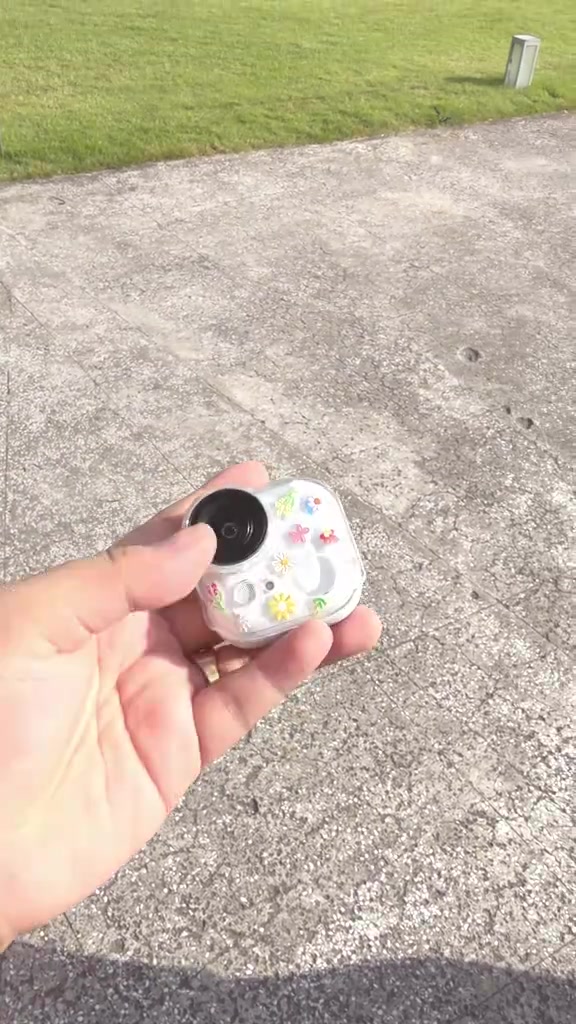
First, the mini magnetic action camera with colorful flower stickers is shown adsorbed on a metal bracket. Then, it cuts to the interactive group photo of the woman and the man in front of the camera lens. Finally, a close-up of the camera screen is presented, showing the shooting parameters of 4K 60fps. The explanatory text of 1/1.28-INCH SENSOR 4K 60FPS VIDEO pops up above the frame.
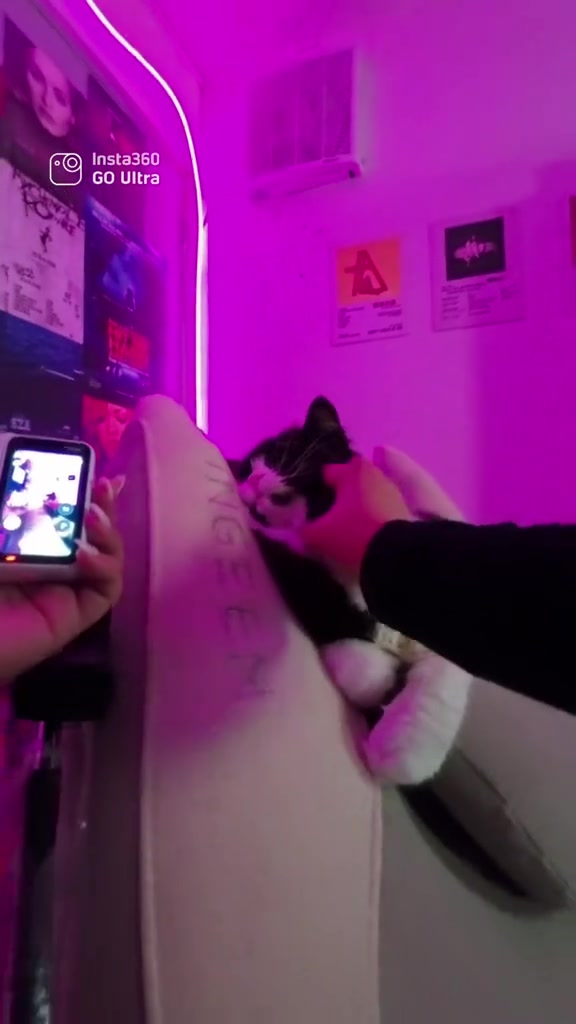
The split screen displays the shooting effects of three scenes: holding a foldable screen device in the car, group photo at the indoor event site, and the first-person perspective of the road conditions while driving. Then, the woman attaches the action camera magnetically to her clothes in a room with pink neon lighting. Next, the camera shows her using the camera to shoot the black-and-white tuxedo cat lying on the sofa, with the explanatory text of MAGNETIC MOUNTING for HANDS-FREE POV videos popping up below the frame.
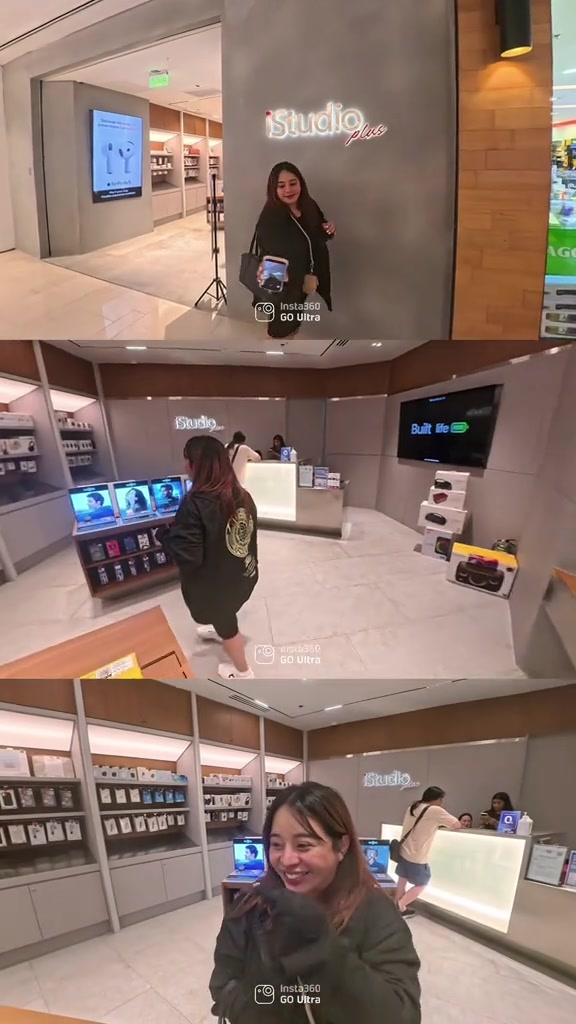
It sequentially shows the dining scene in the restaurant, the experience scene of using a laptop, the scene of the woman magnetically attaching the camera to the man's chest, the outdoor scene of the two holding hands and walking, and the multi-angle shooting scene inside the digital accessory store, fully demonstrating the free shooting effect of the action camera in different scenarios.
The woman holds the camera to take a selfie outside the building, with the explanatory text of FLOWSTATE STABILIZATION popping up on the screen. Then, the split screen displays the shooting scenes of the exhibition site and the comic-con site. Finally, the scene of the woman holding a microphone to speak on the activity stage is presented, demonstrating the image stabilization shooting effect of the action camera.
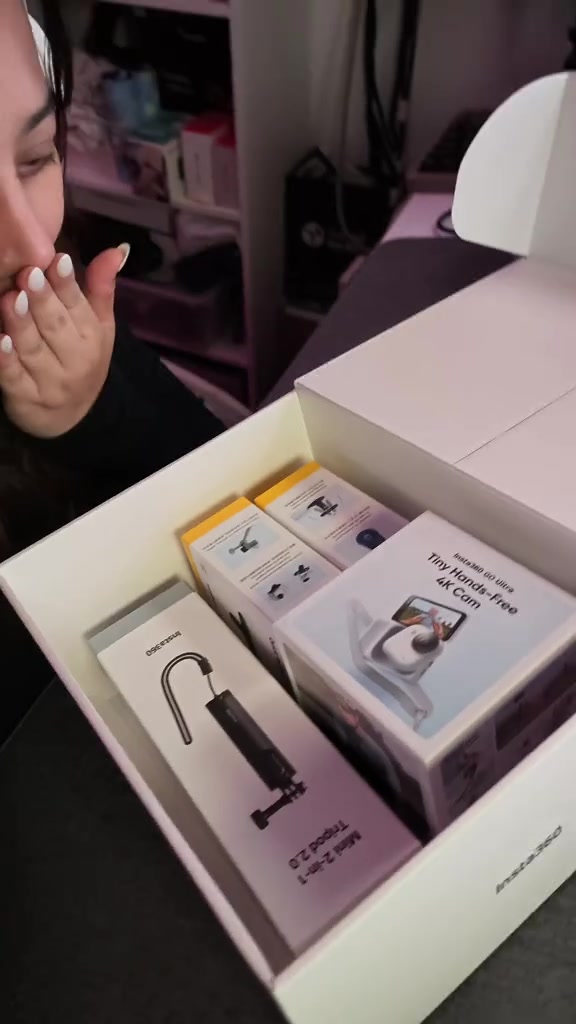
The woman unboxes and displays the full set of accessories in the pink neon room in sequence: magnetic lanyard, mini tripod, quick-release base, pivot stand, and main unit packaging box. Finally, she holds the main unit for a close-up to show its appearance. The promotional text of INSTA360 11.11 SALE IS LIVE NOW! pops up above the frame, marking the discount and event time.
Frequently asked questions
Questions about this video’s creative strategy, creator, metrics, and creating a similar video.
This video uses a “No Hook” opening. The classification is based on the collected video content and available analysis fields, and can help explain how the first few seconds attract attention.
Its primary selling angle is “Convenience angle” and its content structure is “Day In Life Vlog.” Use these as strategic references, then adapt the execution to your own product, audience, and brand voice.
The current dataset identifies ZENDEE as the video creator. The creator name links to the corresponding public TikTok profile when available; account details may change over time.
Yes, you can use it as a creative reference. Octer extracts the hook, pacing, content structure, and presentation pattern, then combines them with your product information instead of directly copying the original footage.
No. The page shows the most recently collected public video and product data. Values may lag because of platform updates, reporting periods, or market changes, so treat them as research signals rather than real-time reporting.
Do not directly reuse the original creator’s footage, music, likeness, or brand assets. Confirm your rights to all product and generated assets, and follow TikTok Shop, advertising-market, and applicable local rules before publishing.