An emphatic claim that this is the most “insane” hub the creator has seen hooks viewers before a first-person look at Anker’s compact 10-in-1 desktop USB-C hub.
An emphatic claim that this is the most “insane” hub the creator has seen hooks viewers before a first-person look at Anker’s compact 10-in-1 desktop USB-C hub.
Unexpected facts or striking results can capture attention immediately. An opening such as “you can do that?!” quickly introduces a disruptive insight or outsized value, sparking curiosity and overturning the viewer’s existing assumptions.
This perspective makes viewers feel as though they are experiencing it firsthand. Handheld selfie shots show product details and the usage process, creating an immersive sense of authenticity that brings viewers closer and sparks purchase interest.
A seamless user experience or versatile functionality is key to a product’s success. Showing how easy it is to go from unboxing to use, or highlighting an all-in-one design with functions such as slicing, shredding, and juicing, effectively appeals to consumers seeking speed and convenience.
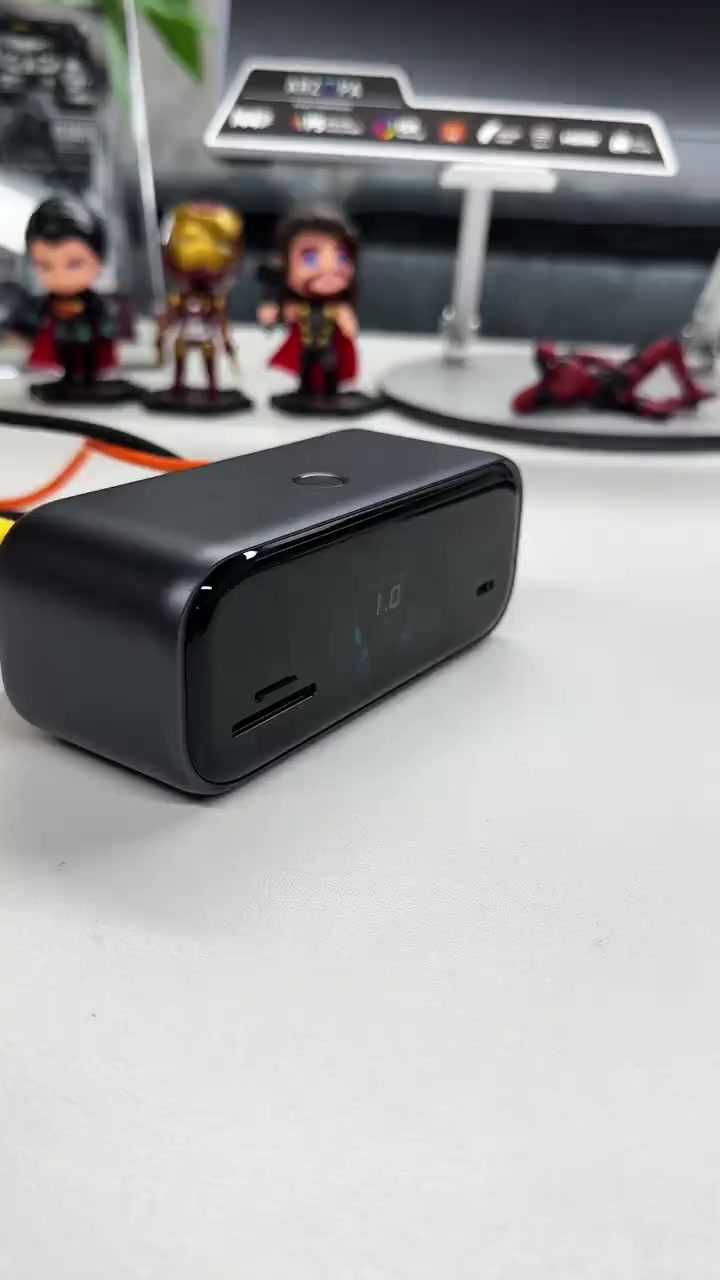
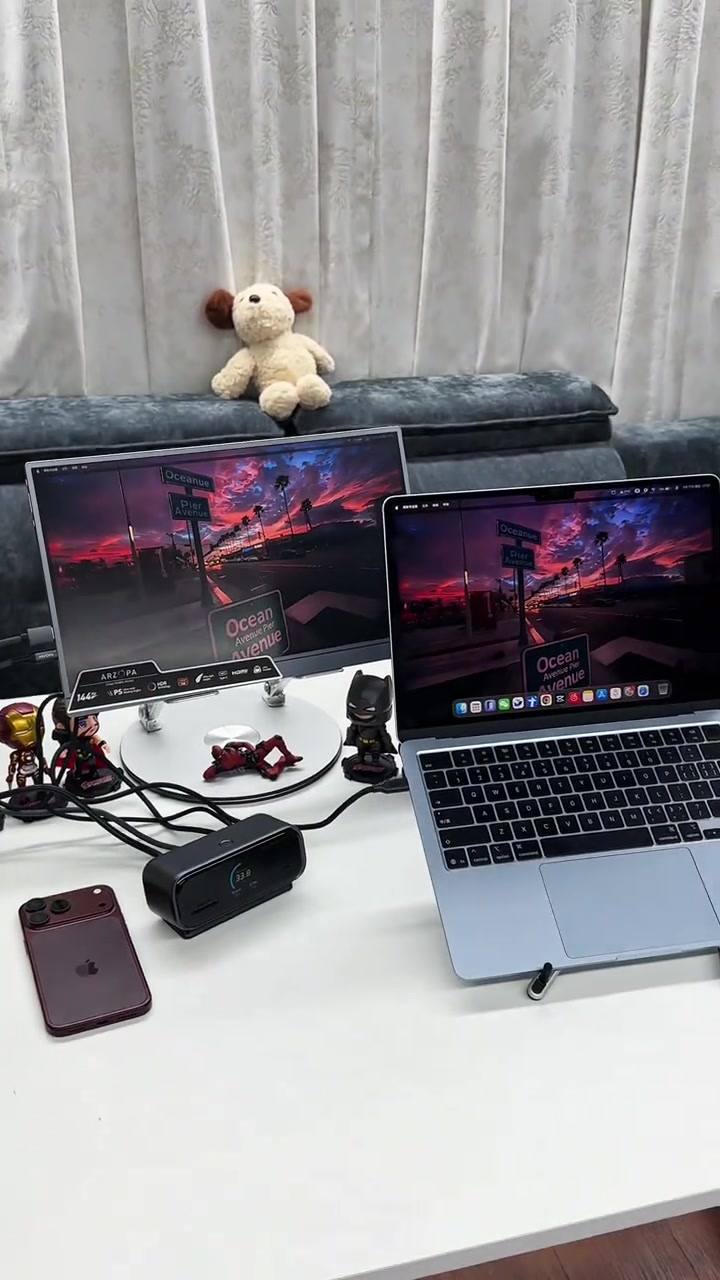
This is hands down the most insane hub I've ever seen. It's Anker's latest 10-in-1 smart hub, and this device does far more than just add extra ports. First, there's a 100W PD port, so just plug it in and you get fast charging for your laptop. You also get an HDMI port and a DisplayPort with up to 240Hz output, allowing you to connect two 4K external monitors at the same time.
Product Selling Points
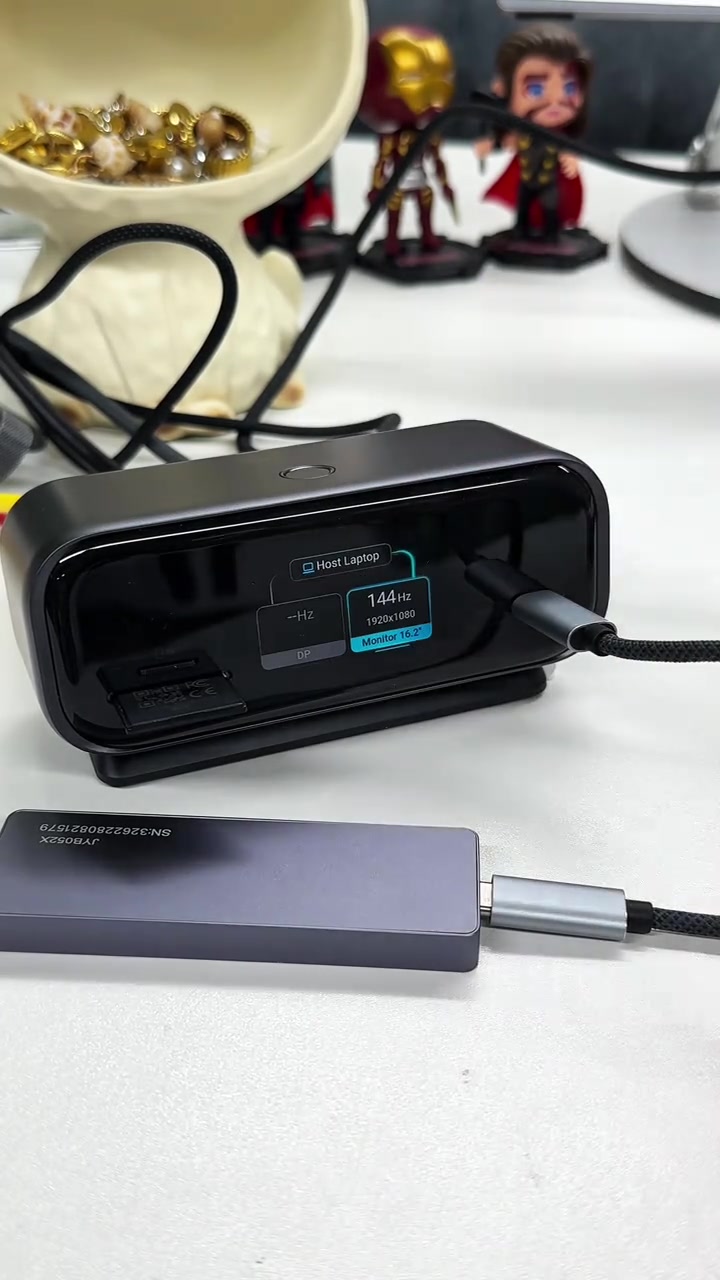
Then there are three USB ports for your mouse, keyboard and other devices. You also get a high-speed Ethernet port, plus TF and SD card slots on this side. And there's a 10Gbps USB-C port for your external drive or charging other devices. The smart display shows you what's connected to every port along with temperature monitoring for protection.
Real Experience
Double press the button and you get a Pomodoro timer to help you stay focused. This little box honestly feels like something from the future. I'll leave the link below.
Storyboard breakdown
Close-up
Show the appearance and ports of the Anker smart hub, connect it to a laptop, display the charging status on the screen, plug in HDMI and DP video cables in turn, and finally light up two 4K external monitors to demonstrate basic expansion and dual-display functionality.
Close-up
Connect USB peripherals, Ethernet cable, SD/TF memory cards and external portable hard drive in turn. The hub's screen displays the connection status and transfer speed of each port in real time, demonstrating the usage effect of all interfaces.
Medium Close-up
Press the top button of the hub to switch the screen display, show special features like temperature monitoring and Pomodoro timer, flip the product to reveal all port details, and finally present the complete desktop digital ecosystem layout.
Frequently asked questions
This is hands down the most insane hub I've ever seen. video FAQ
Questions about this video’s creative strategy, creator, metrics, and creating a similar video.
What hook does this Anker Desktop USB-C Hub - 10-in-1 product video use?
This video uses a “Shock-stat hooks” opening. The classification is based on the collected video content and available analysis fields, and can help explain how the first few seconds attract attention.
What selling angle and content structure does this video use?
Its primary selling angle is “Convenience angle” and its content structure is “First-person POV.” Use these as strategic references, then adapt the execution to your own product, audience, and brand voice.
Is Ethan Carter the creator of this video?
The current dataset identifies Ethan Carter as the video creator. The creator name links to the corresponding public TikTok profile when available; account details may change over time.
Can I use this Anker Desktop USB-C Hub - 10-in-1 video to create a similar video?
Yes, you can use it as a creative reference. Octer extracts the hook, pacing, content structure, and presentation pattern, then combines them with your product information instead of directly copying the original footage.
Are the views, engagement, and product metrics shown in real time?
No. The page shows the most recently collected public video and product data. Values may lag because of platform updates, reporting periods, or market changes, so treat them as research signals rather than real-time reporting.
What should I consider when creating content from this reference?
Do not directly reuse the original creator’s footage, music, likeness, or brand assets. Confirm your rights to all product and generated assets, and follow TikTok Shop, advertising-market, and applicable local rules before publishing.