In the analyzed video, Holden Mann uses a First-person POV structure, opens with Question hooks, and builds purchase intent through Scarcity angle. This observation is based only on this video's script, storyboard, and public performance data.
In the analyzed video, Holden Mann uses a First-person POV structure, opens with Question hooks, and builds purchase intent through Scarcity angle. This observation is based only on this video's script, storyboard, and public performance data.
Eine direkte und oft leicht provokante Frage wie „Warum ist ihres so viel größer?!“ zieht wirksam Aufmerksamkeit auf sich. Sie greift eine gemeinsame Erfahrung oder ungeklärte Neugier auf, schafft sofort Relevanz und motiviert Zuschauer, für die Antwort oder Lösung dranzubleiben.
Diese Perspektive vermittelt Zuschauern das Gefühl, das Produkt selbst zu erleben. Handgeführte Selfie-Aufnahmen zeigen Produktdetails und die Anwendung, schaffen authentische Nähe und wecken dadurch das Kaufinteresse.
Künstliche Verknappung kann Verbraucher wirksam zu einer sofortigen Bestellung bewegen. Creator sollten direkt sagen: „Bestelle, bevor es ausverkauft ist“, und erklären, warum das Angebot begrenzt oder besonders gefragt ist, etwa „neu erschienen und schnell vergriffen“. Der dringliche Ton fördert den Kauf, bevor Zweifel entstehen.
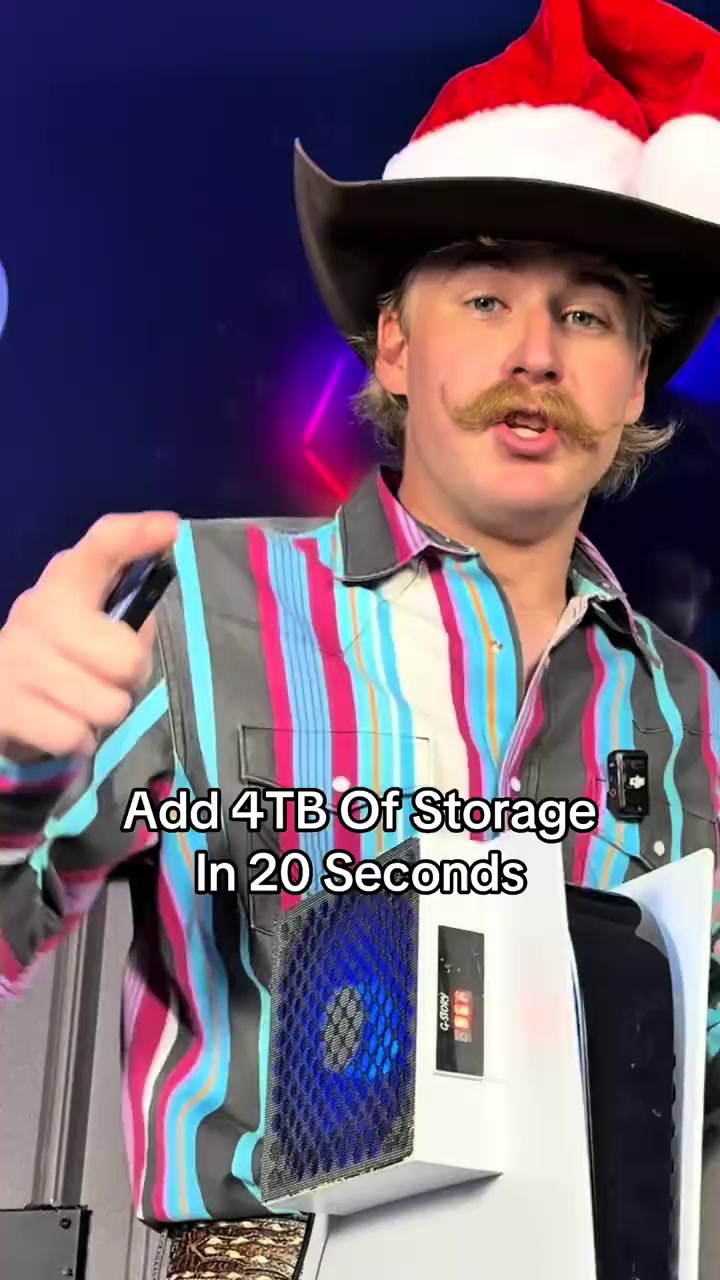
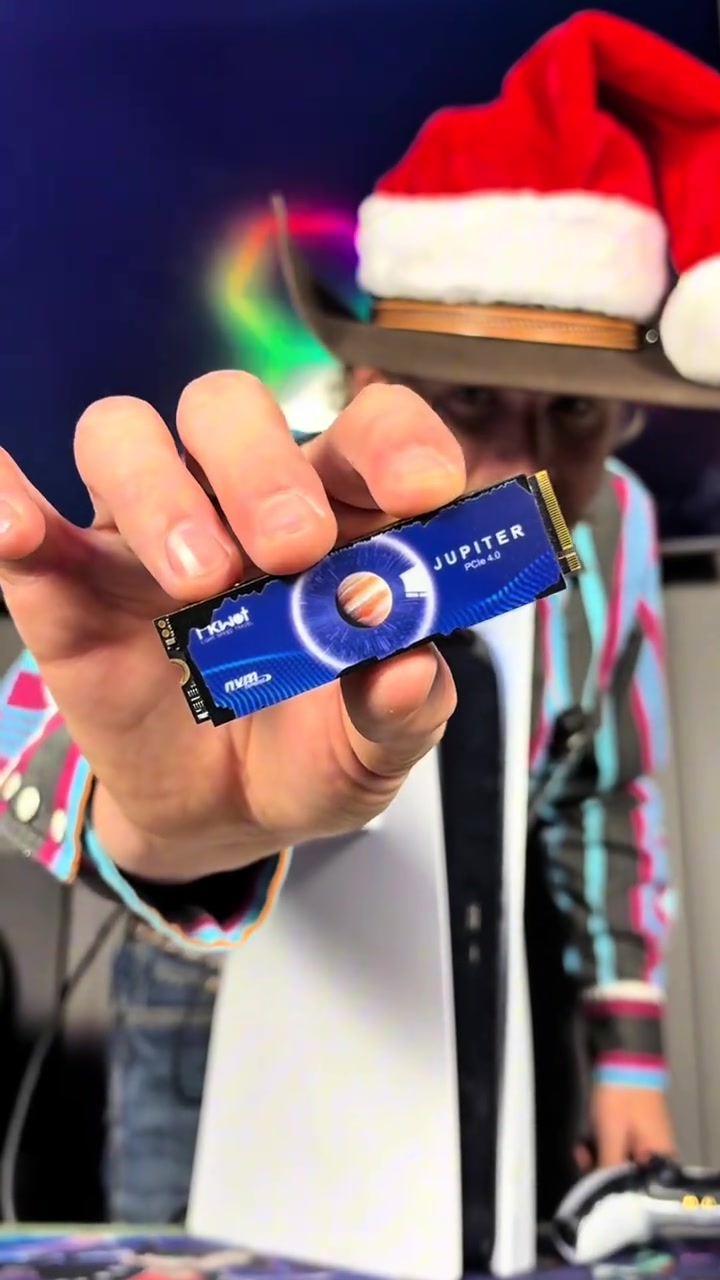
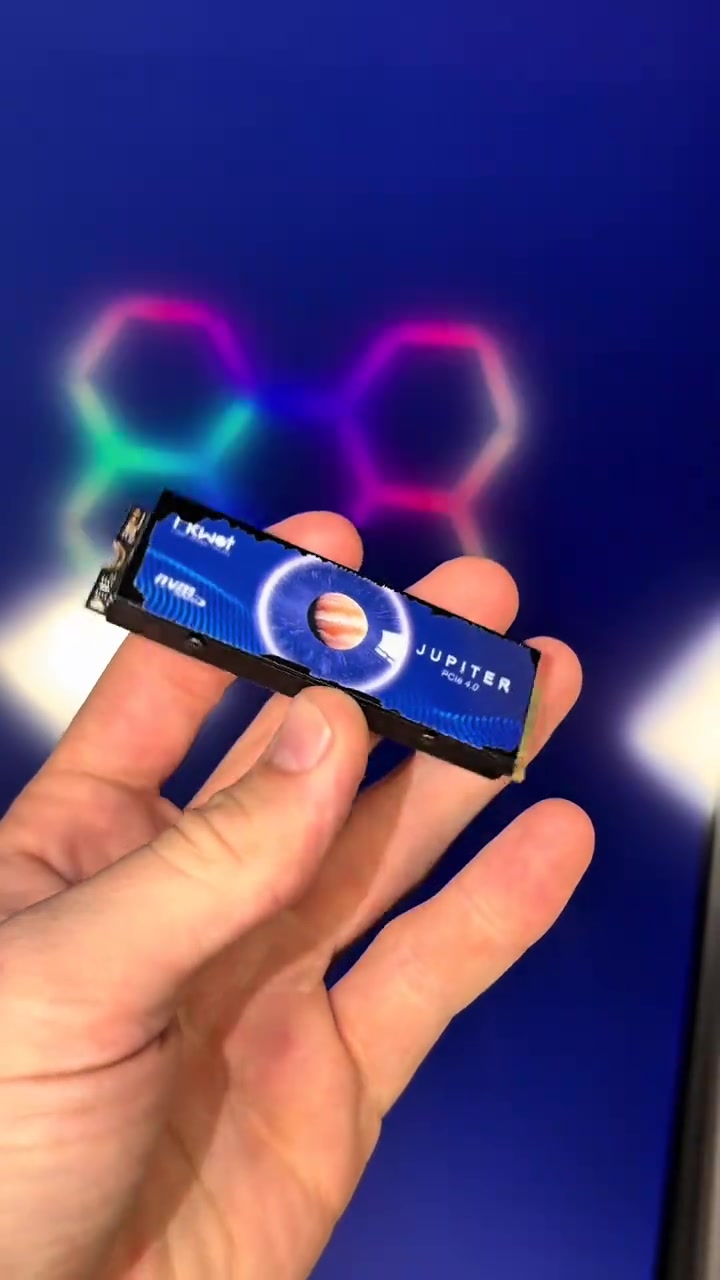
Do you want to add 4TB of storage to your PS5 in 20 seconds? Well this right here is exactly how you're gonna do it. The same upgrade also makes your PS5 better than a gaming PC. This right here is an NVMe M.2 SSD, and it allows you to add anywhere between 500 gigabytes of storage all the way up to 4 terabytes.
User Pain Points
And we were told the PS5 was gonna be able to play GTA 6, but that game's gonna be almost 500 gigabytes, and I guarantee you don't have that much storage on your PS5. Luckily you can install this upgrade in 20 seconds and have as much storage as you need to play the game.
Instructions for Use
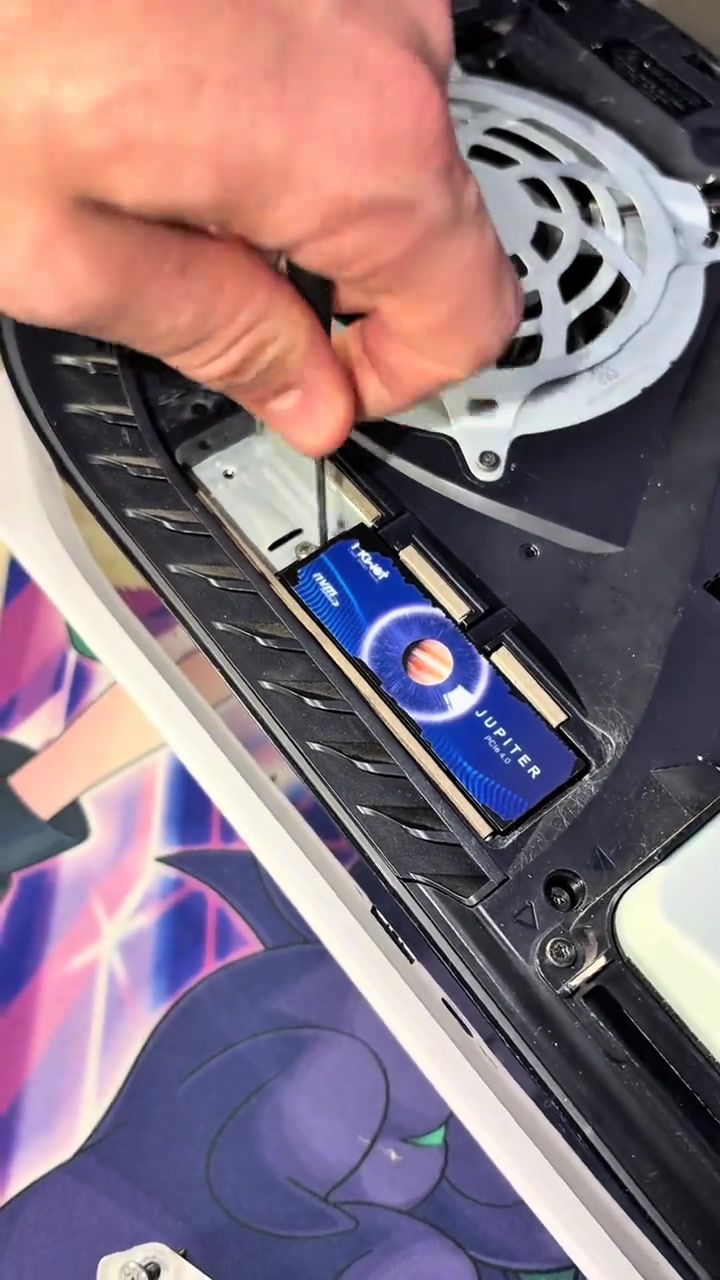
Just simply start by turning your PS5 off properly. Now set your PS5 upright, then go ahead and lay it down to the left. Peel up this back corner over here, pull the opposite direction, and that is gonna expose the SSD cover. Now take out screw number one to remove the cover, and that will expose the SSD slot. Now slide your SSD into place, secure it down, and it's all installed.
Promotional Offers
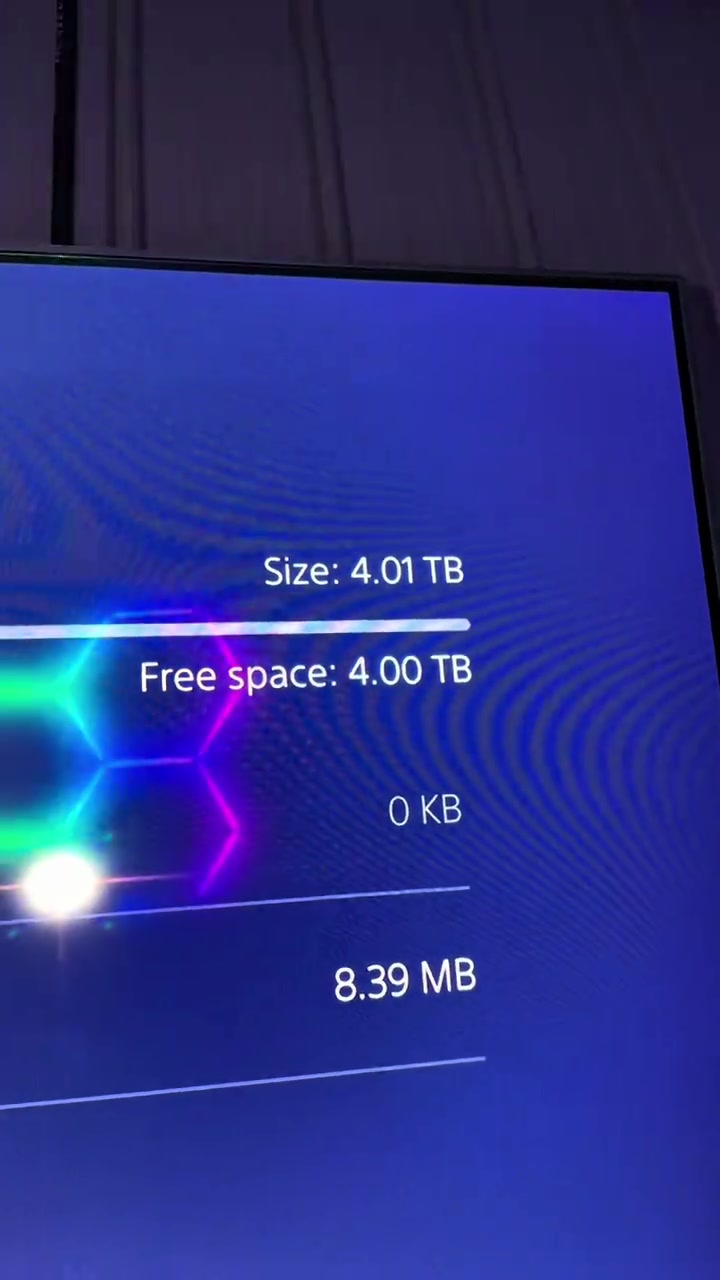
Now my PS5 is better than a gaming PC, and now I have 4 more terabytes of storage inside of my PS5. And I was only able to do that because I added an NVMe M.2 SSD, and I was only able to afford this because it was already on a discount, and then TikTok also decided to launch their Black Friday discount and stack it on top.
Call to Action
So these SSDs are so freaking cheap right now, and every single size they have is on a massive discount. But ever since they ran them at that cheap price, they have already sold out in a few of the select storage options they offer, so if you still see that link, I'd go get an SSD for your PS5 before the rest of the SSDs are sold out.
Storyboard-Analyse
Medium Shot
The male blogger holds the blue solid-state drive close to the camera for display, then switches to the PS5 console appearance, system storage interface, and the internal hard drive slot of the disassembled PS5, with colorful neon lights in the background.
Medium Shot
The male blogger stands next to the vertical PS5 explaining, the camera switches to the overall display of PS5 and the controller, then shows the PS5's system interface with only 5GB of remaining built-in storage, and cuts back to the close-up of the hard drive inside the disassembled PS5.
Medium Close-up
The camera first shows the TV screen with the PS5 shutdown prompt, the male blogger sequentially removes the PS5 shell, unscrews the heatsink cover screws of the hard drive, inserts the blue solid-state drive and screws back the fixing screws to complete the hardware installation.
Medium Shot
The male blogger stands next to the vertical PS5 with the installed hard drive explaining, the camera shows the PS5 system interface recognizing the new 4TB hard drive, then holds the solid-state drive to show its appearance from multiple angles, and cuts back to the close-up of the hard drive installed inside the PS5.
Medium Shot
The male blogger stands next to the PS5 holding the hard drive explaining the promotion, the camera switches to the disassembled PS5 display, the frame of the controller and hard drive placed in front of the PS5, and finally returns to the shot of the male blogger explaining.
Häufig gestellte Fragen
FAQ zum Video Add 4TB Of Storage In 20 Seconds
Fragen zur Kreativstrategie, zum Creator, zu Kennzahlen und zur Erstellung eines ähnlichen Videos.
Welchen Einstieg verwendet das Produktvideo zu FIKWOT FX910 PCIe 4.0 M.2 2280 Internal NVMe SSD with Graphite Heatsink?
Das Video beginnt mit „Frage als Hook“. Die Einordnung basiert auf den erfassten Videoinhalten und Analysedaten und hilft zu verstehen, wie die ersten Sekunden Aufmerksamkeit erzeugen.
Welches Verkaufsargument und welche Struktur nutzt das Video?
Das wichtigste Verkaufsargument ist „Knappheits-Winkel“, die Struktur ist „Ich-Perspektive“. Passen Sie diese Ansätze an Produkt, Zielgruppe und Markenstimme an.
Ist Holden Mann der Creator dieses Videos?
Im aktuellen Datensatz ist Holden Mann als Creator angegeben. Sofern verfügbar, führt der Name zum öffentlichen TikTok-Profil.
Kann ich anhand des Videos zu FIKWOT FX910 PCIe 4.0 M.2 2280 Internal NVMe SSD with Graphite Heatsink ein ähnliches Video erstellen?
Ja. Octer nutzt Einstieg, Tempo, Struktur und Präsentation als kreative Referenz und kombiniert sie mit Ihren Produktinformationen, ohne das Originalmaterial zu kopieren.
Sind Aufrufe, Interaktionen und Produktkennzahlen in Echtzeit?
Nein. Angezeigt werden die zuletzt erfassten öffentlichen Daten. Durch Plattform-Updates und Berichtszeiträume kann es Verzögerungen geben.
Was muss ich bei der Nutzung dieses Referenzvideos beachten?
Verwenden Sie Video, Musik, Bildnis oder Markenmaterial des ursprünglichen Creators nicht direkt. Prüfen Sie vor der Veröffentlichung alle Rechte und Plattformregeln.