In the analyzed video, holdenrecommends uses a First-person POV structure, opens with Shock-stat hooks, and builds purchase intent through Convenience angle. This observation is based only on this video's script, storyboard, and public performance data.
In the analyzed video, holdenrecommends uses a First-person POV structure, opens with Shock-stat hooks, and builds purchase intent through Convenience angle. This observation is based only on this video's script, storyboard, and public performance data.
Fatos inesperados ou resultados impressionantes capturam a atenção imediatamente. Uma abertura como “dá para fazer isso também?!” apresenta rapidamente uma ideia que rompe expectativas ou um grande valor, desperta curiosidade e muda as crenças anteriores do público.
Essa perspectiva faz o público sentir que está vivendo a experiência em primeira pessoa. Cenas de selfie gravadas à mão mostram os detalhes e o uso do produto, criam uma sensação autêntica e imersiva, aproximam o espectador e despertam o interesse de compra.
Uma experiência de uso fluida ou a versatilidade são essenciais para o sucesso do produto. Mostrar a facilidade desde a abertura da embalagem até o uso, ou destacar um design multifuncional que fatia, rala e faz suco, atrai consumidores que valorizam eficiência e praticidade.
It only takes 20 seconds to upgrade your PS5 to outperform a regular gaming PC, and all you need is an NVMe M.2 SSD. The PS5 excels in every aspect by design, it simply lacks sufficient factory storage. With this NVMe M.2 SSD, you can expand your storage from 500GB all the way up to 4TB. The best part is that installation takes only 20 seconds, and you only need to handle two screws during the process.
Instructions for Use
Start by properly powering off your PS5, place the upright console flat on its left side. Lift the rear corner of the outer cover and pull in the opposite direction to expose the SSD compartment cover. Remove the first screw to access the internal SSD slot. Align the SSD's gold fingers with the slot inside the PS5, insert it firmly into place, tighten the screw to secure it, and you can reassemble your PS5 right away.
Promotional Offers
Honestly, I never imagined this upgrade could be so simple. If you want to do the exact same upgrade as I did, you will never need to worry about running out of storage again. Normally SSDs are ridiculously expensive, especially with the rise of AI, the raw materials needed to manufacture them have become much more costly. But TikTok is helping this brand run a huge flash sale right now, because GTA 6 will take up over 500GB of storage, and you simply can't play it properly without a high-capacity SSD.
Call to Action
If you want to get one of these SSDs during the flash sale, I've placed the shopping cart link right down below. But since the sale went live, a few popular storage sizes have already been sold out. So if you still see your desired size available in the cart, I recommend grabbing this NVMe M.2 SSD quickly before the remaining sizes are all gone.
Análise do storyboard
Medium Shot
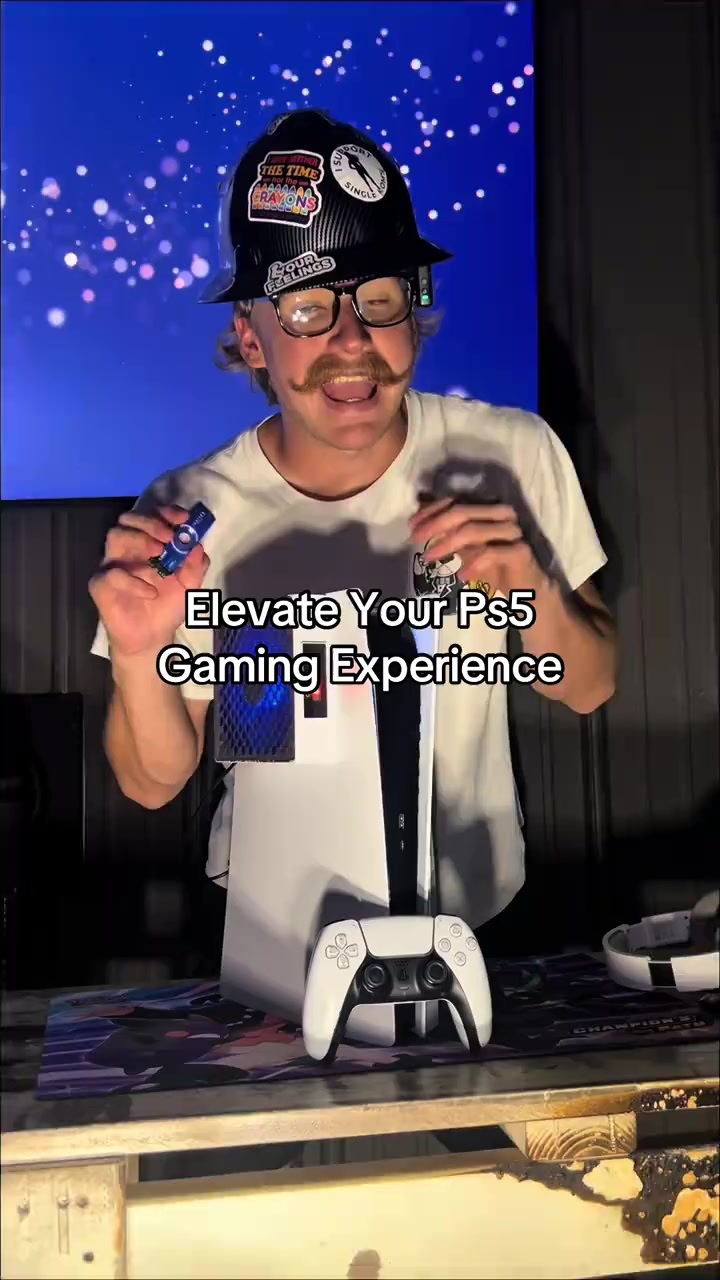
A man holds the JUPITER NVMe M.2 SSD, showcases the PS5 with external cooling fan, original storage interface and upgraded 4TB available space interface, introducing the SSD's expansion range and 20-second quick installation feature.
Close-up
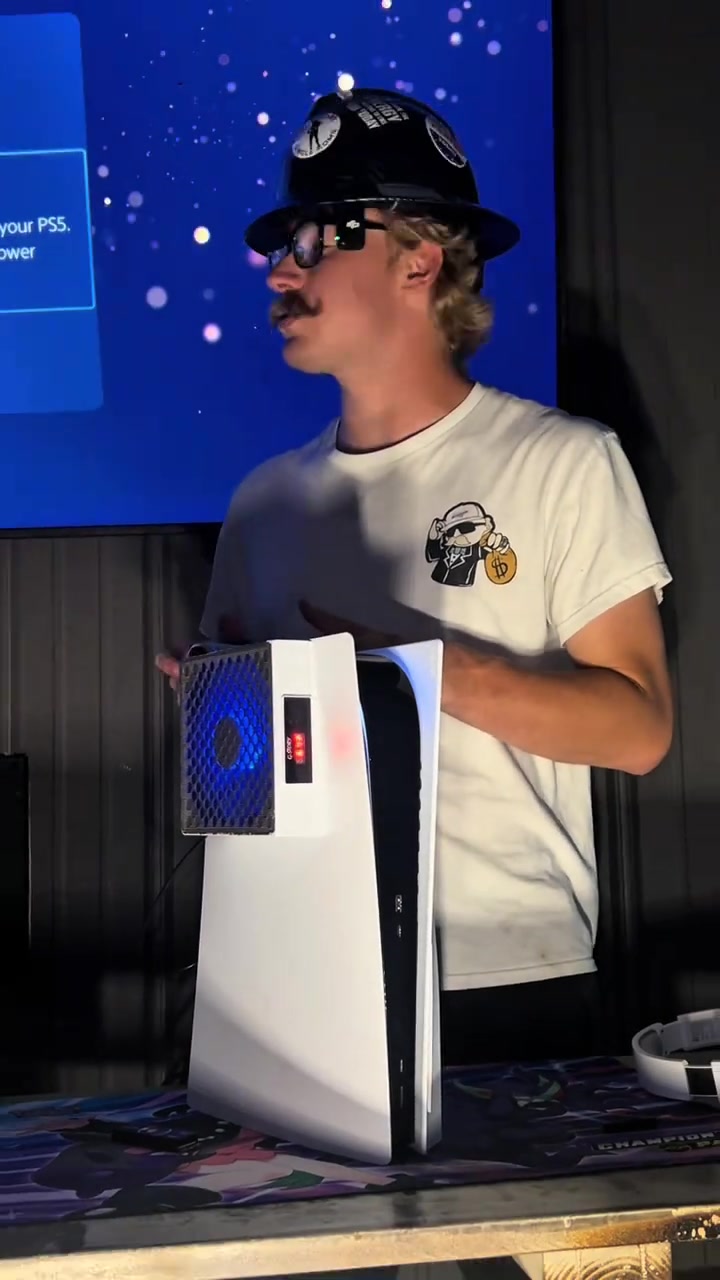
The screen shows the PS5 shutdown interface, then the man demonstrates the full installation steps: placing the PS5 on its side, removing the outer cover, unscrewing the SSD compartment screw, aligning and inserting the SSD, tightening the fixing screw, and reassembling the console.
Medium Close-up
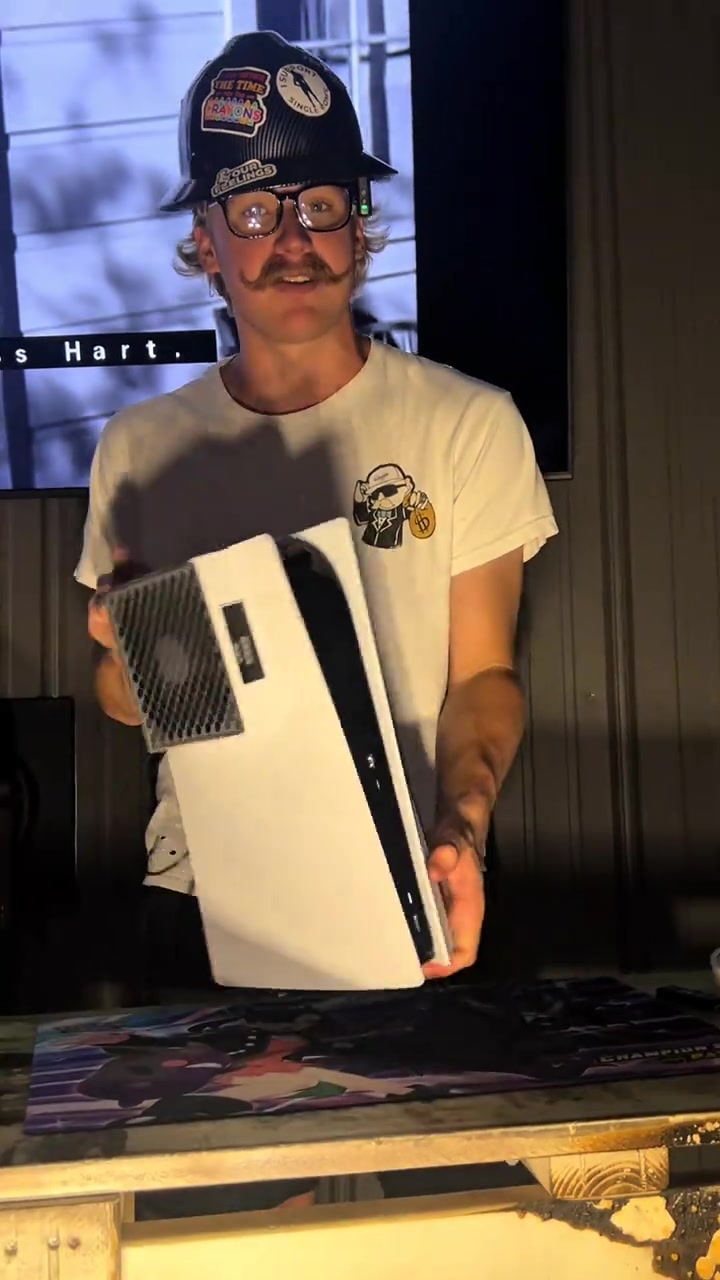
The man shows the upgraded PS5 after reassembly, closes up the built-in SSD details and the full 4TB available storage interface, then displays the SSD's appearance, introducing that even with rising AI material costs, this product enjoys TikTok exclusive flash sale and supports large-capacity games like GTA6.
Close-up
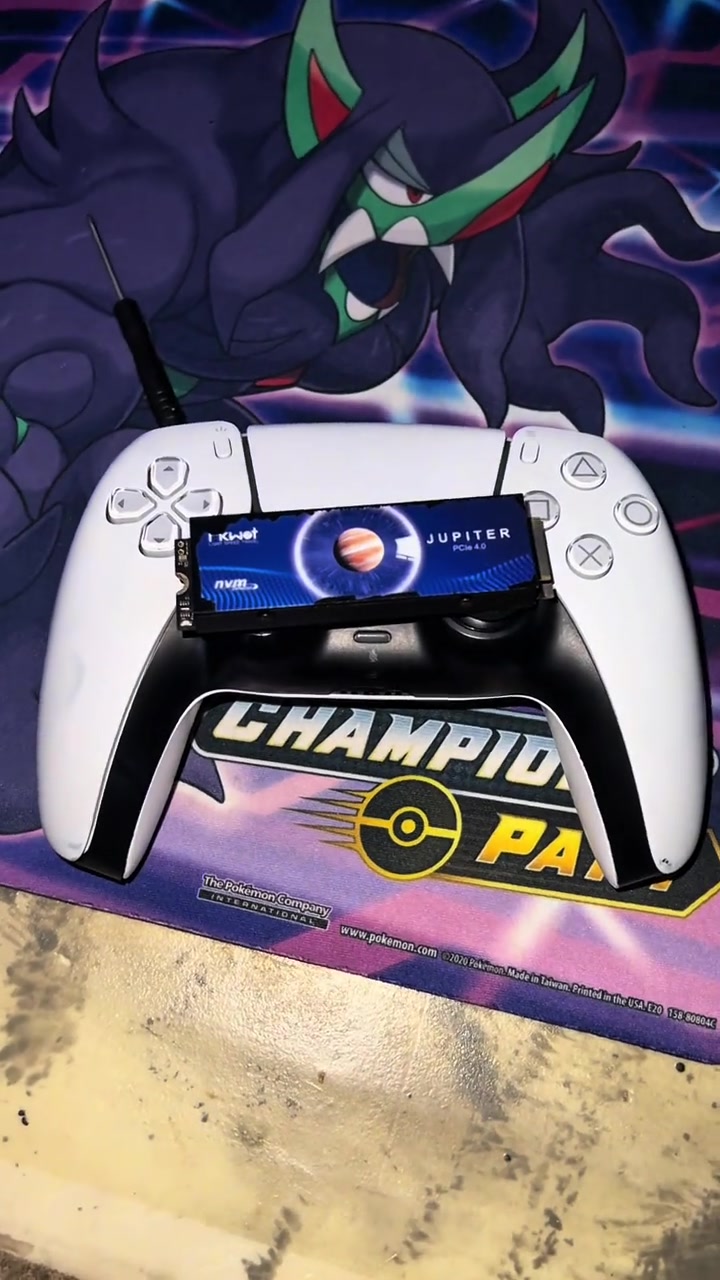
Close-up shots of the SSD placed on the PS5 controller and the wooden desk mat, finally the man holding the SSD appears, urging viewers to place an order as soon as possible before popular storage sizes are sold out.
Perguntas frequentes
Perguntas sobre o vídeo Elevate Your Ps5 Gaming Experience
Perguntas sobre a estratégia criativa, o criador, as métricas e a criação de um vídeo semelhante.
Qual gancho inicial o vídeo de FIKWOT Internal Gaming SSD- FX991/FX910 (Heatsink) utiliza?
O vídeo começa com “Dado surpreendente”. A classificação usa o conteúdo coletado e os dados de análise para explicar como os primeiros segundos atraem atenção.
Qual ângulo de venda e estrutura este vídeo utiliza?
O principal ângulo é “Ângulo de conveniência” e a estrutura é “POV em primeira pessoa”. Adapte essas ideias ao seu produto, público e voz de marca.
holdenrecommends é o criador deste vídeo?
Os dados atuais identificam holdenrecommends como criador. Quando disponível, o nome leva ao perfil público no TikTok.
Posso usar o vídeo de FIKWOT Internal Gaming SSD- FX991/FX910 (Heatsink) para criar um semelhante?
Sim. A Octer usa gancho, ritmo, estrutura e apresentação como referência e combina esses elementos com as informações do seu produto sem copiar o material original.
Visualizações, engajamento e dados do produto são em tempo real?
Não. A página mostra os dados públicos coletados mais recentemente, que podem sofrer atrasos por atualizações da plataforma e períodos de relatório.
O que devo considerar ao criar conteúdo com esta referência?
Não reutilize diretamente vídeo, música, imagem ou ativos de marca do criador. Confirme os direitos e as regras aplicáveis antes de publicar.