Get Marketing Insights First
Subscribe to receive actionable strategies, growth tips, and industry insights delivered straight to your inbox.
See how Claude Managed Agents can handle repeating business tasks—without building your own agent loop or adding headcount.
You’ve probably seen the headlines. Anthropic launched Claude Managed Agents a couple weeks ago, and half the AI newsletters in my inbox called it “the end of the SaaS stack.”
I want to save you some time. It’s a real product. It’s genuinely useful. And if you’re a solopreneur running your business out of Shopify and Notion, it’s probably not the thing you should plug into this week.
Here’s what it actually is, what it can handle, and where the gap is between “production AI agents for small business” and “what a non-technical operator can actually ship on a Tuesday afternoon.”
I’ve been watching friends and clients try to build AI agents for about a year now. Not toy agents. Real ones — the kind that’s supposed to draft follow-ups, update listings, pull weekly reports without you babysitting it.
Most of them stall at the same place.
It’s not the prompt. The prompt is fine. The problem is everything around the prompt: where does the agent run? How does it remember what it did yesterday? Who refreshes the OAuth token when it expires? What happens when the Slack API changes? What happens when the agent gets stuck in a loop and burns through $40 in tokens while you’re asleep?
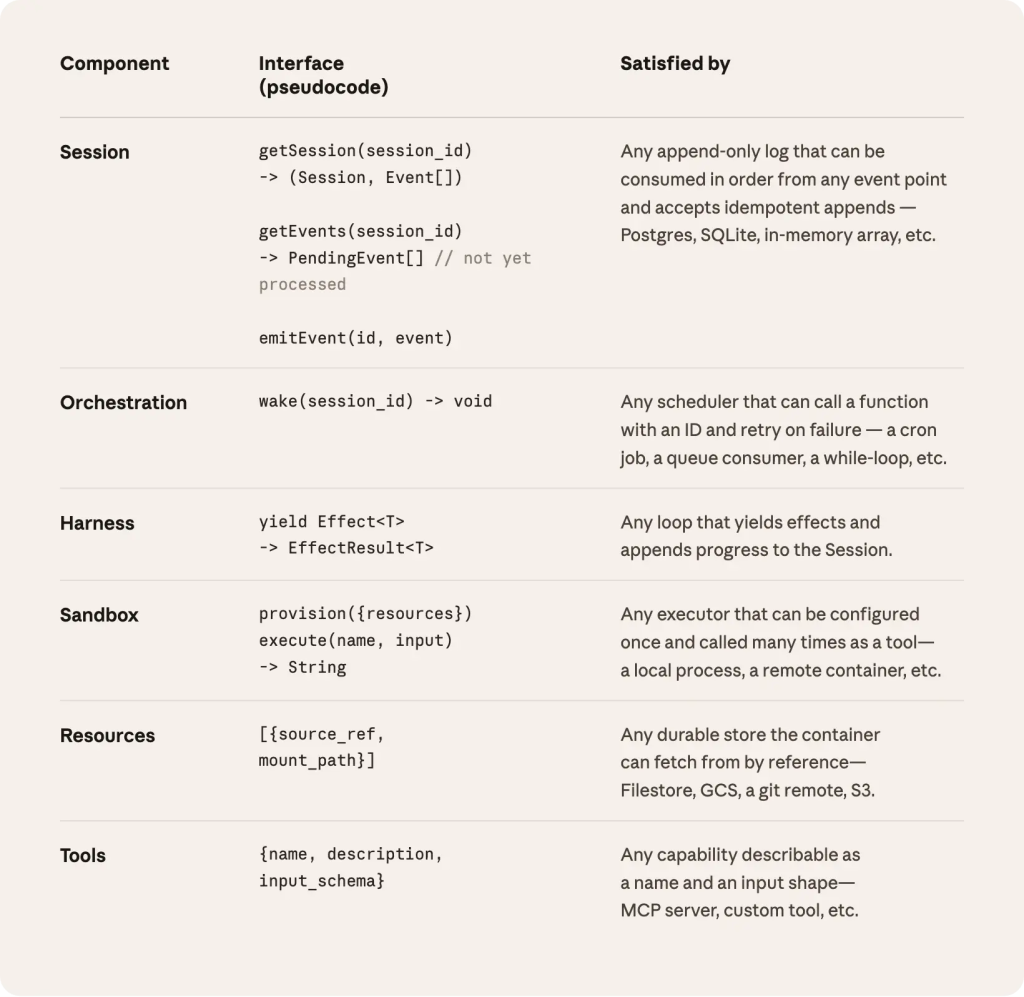
This is the scaffolding. And according to Anthropic’s engineering team, shipping a production agent requires sandboxed code execution, checkpointing, credential management, scoped permissions, and end-to-end tracing — months of infrastructure work before you ship anything users see.
That’s the real reason most small businesses don’t have AI agents running yet. Not because they don’t know what to automate. Because the work between “I know what I want the agent to do” and “the agent is reliably doing it” is where 90% of the effort hides.
This is where Claude Managed Agents fits. Anthropic basically decided to handle that scaffolding for you.
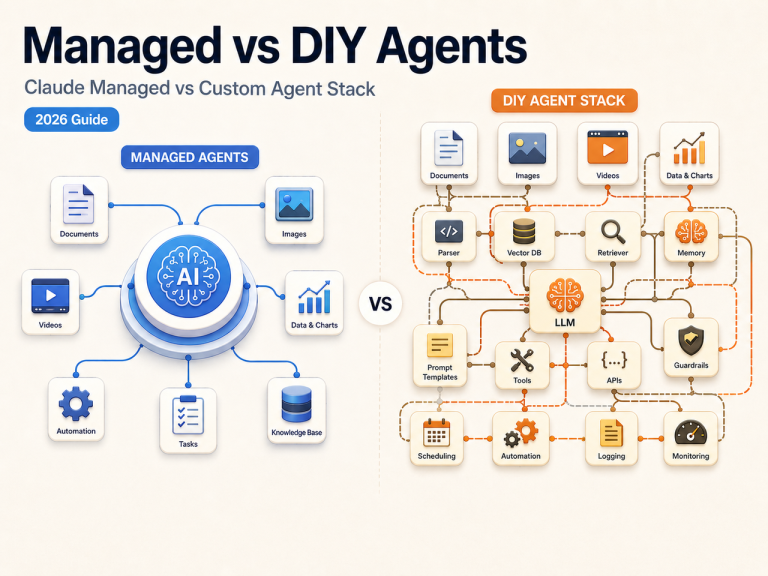
You describe what the agent does, give it tools and guardrails, and their infrastructure runs the whole thing — the sandboxed container, the session state, the tool execution, the permission checks. You don’t build the loop. You configure it.
Before this, if you wanted an agent that runs for hours (say, monitoring a competitor’s pricing page or processing a batch of leads), you had to stand up your own container, manage retries, handle the state when the process crashed.
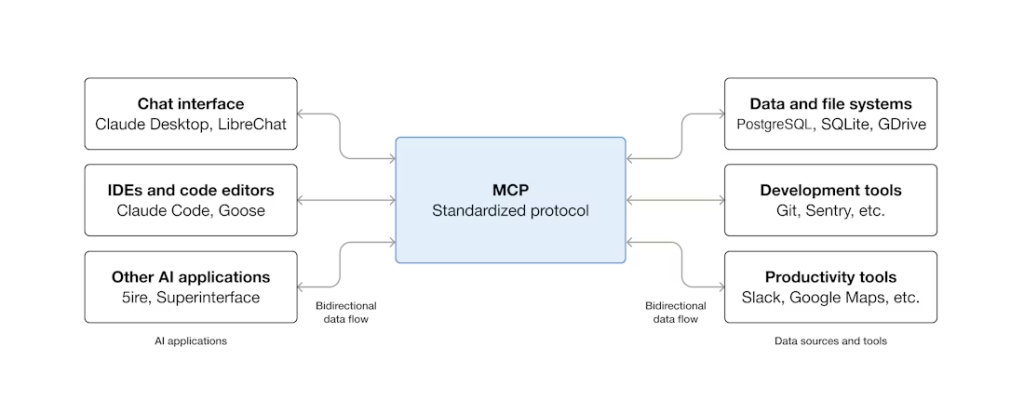
With Managed Agents, that’s Anthropic’s problem. You define the model, system prompt, tools, MCP servers, and skills. Create the agent once and reference it by ID across sessions. Then you launch a session, and the harness runs it.
No Kubernetes. No Redis for state. No cron jobs breaking at 3am.
This is the part that matters for business workflows. It’s built for long-running, asynchronous work — not chatbot-style request-response. The agent can start a task, work on it for two hours, hit a tool, wait for a response, come back, keep going. You don’t have to be in the session.
That’s a real shift. That’s what people mean when they say “AI as infrastructure” instead of “AI as chatbox.”
Quick reality check — this is an API product. It requires a developer to set up. More on that below.
If you have a developer (or you are one), here are the workflows where this actually earns its keep. I’ll flag where the human-in-the-loop approval matters, because that’s the part most articles skip.
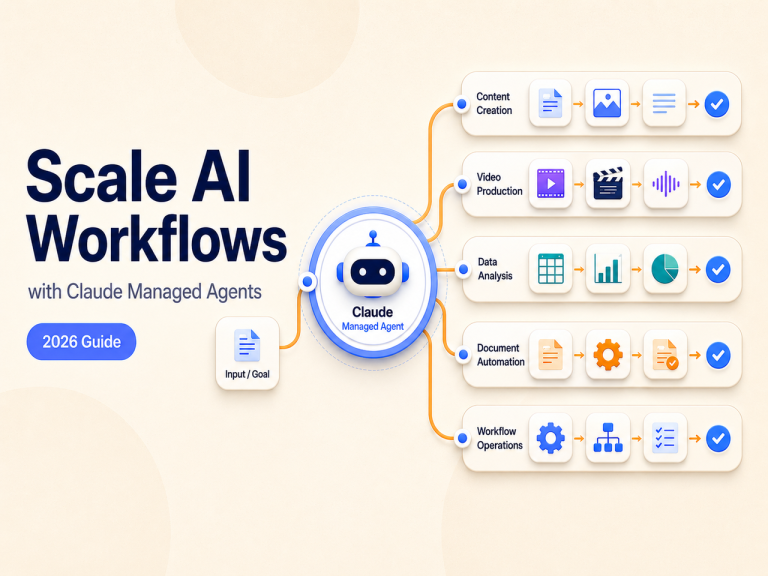
The agent can draft posts in your brand voice, pull the right image from a folder, queue them in your scheduler, and flag anything ambiguous for you to approve before publish.
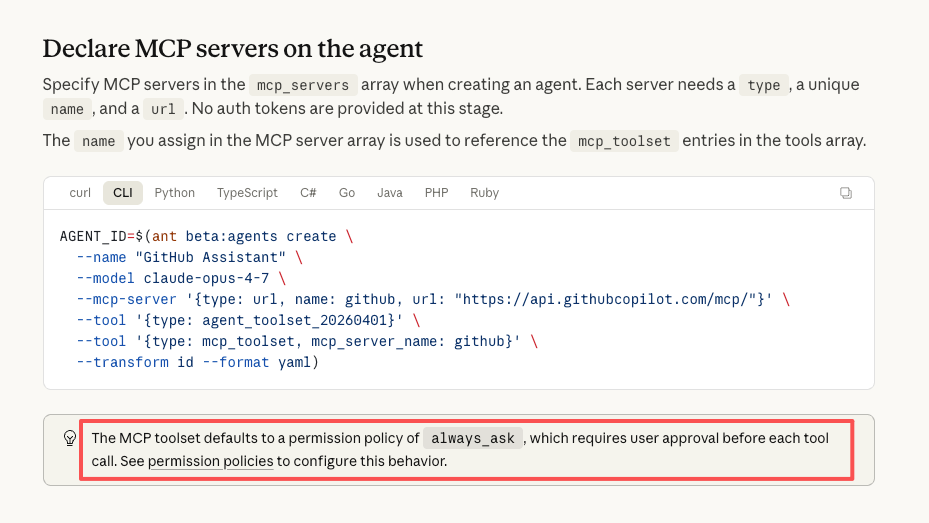
Where it works: you give it clear content pillars, examples of your voice, and a review step before anything goes live. Per the permission policy docs, the MCP toolset defaults to always_ask — meaning the agent asks before it hits Publish. That’s the guardrail you want.
Where it breaks: if you want it to react to real-time events (“the comment section is on fire, respond”) without you seeing it first. Don’t do that. Not yet.
This is probably the strongest fit for small business. The agent reads new leads from a form or CRM, drafts a personalized follow-up, schedules it, and flags leads that match certain criteria for you to handle personally.
Human-in-the-loop boundary: the agent drafts. You approve. Or you set it to auto-send for tier-3 leads and require approval for tier-1. That’s a real configuration, not a feature list item.
The thing people underestimate: the agent needs memory of what’s already been sent. Otherwise it re-sends the same follow-up three times to the same person. Managed Agents handles session state, but you still need to tell it which state matters.
Give it a list of 5 competitors, a set of things to watch for (pricing changes, new product launches, blog posts), and let it run every Monday morning. It browses, pulls, summarizes, drops a digest in your inbox.
This one’s low-risk because nothing gets published or sent externally. It’s reading work. Approval boundaries are loose here.
Write new descriptions, update inventory across platforms, adjust pricing based on rules. If you’re on Shopify, Shopify has a remote MCP server — so the agent can actually connect and make updates.
Strong caveat: you want approval before the agent changes live pricing. Set the MCP toolset to always_ask for any write operation. For reads (checking inventory, pulling reports) — full auto is fine.
The agent logs into your analytics tools (via MCP), pulls the numbers you care about, writes a summary, drops it in Slack or email. Weekly revenue recap, monthly ad performance, whatever.
This is the lowest-risk workflow and the easiest win. Start here if you’re experimenting.
Here’s where I want to be honest with you, because most articles about this are pretending it’s more magic than it is.
The agent is not going to:
Session data runs through Anthropic’s cloud infrastructure — for sensitive workloads, that’s worth factoring in. Vendor lock-in breakdown covers the enterprise-level risks in detail if you want to go deeper.
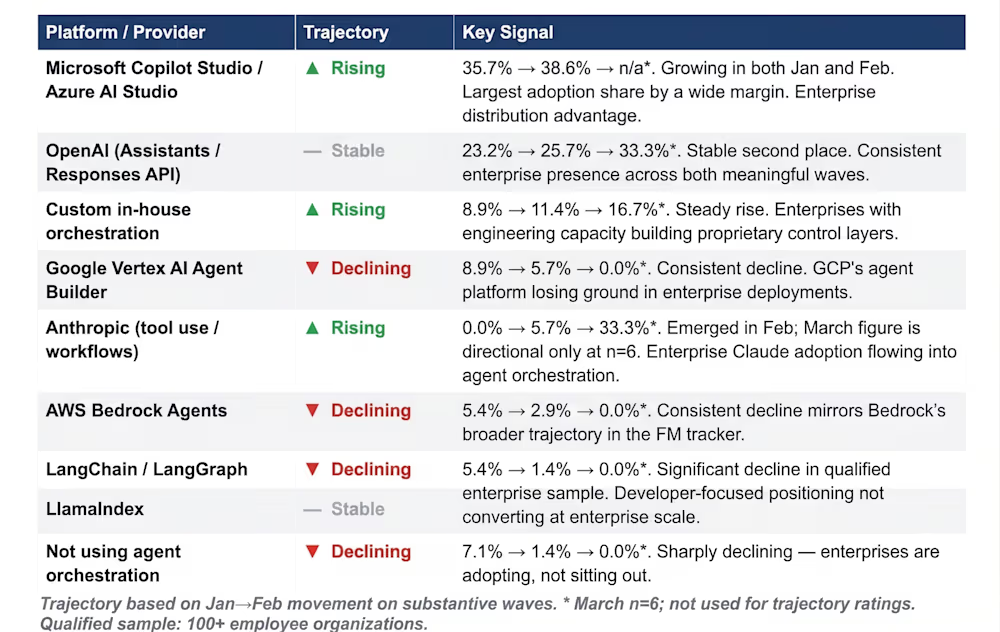
The agents that are working well in production — the Notion AI features, the Rakuten deployments, the Asana AI Teammates — all have engineering teams around them. They’re not running unsupervised.
This doesn’t mean the product is bad. It means you should calibrate your expectations.
This is the part where I have to be direct. Right now, Claude Managed Agents is an API product. You need an Anthropic API key, some comfort with code or YAML, and someone who can write a prompt that survives contact with real data.
There’s no web dashboard where you click-click-click and an agent appears. The quickstart docs assume you’re running commands in a terminal.
If you don’t have a developer, here are your realistic options:
Option 1 — Hire a developer for the setup, not the maintenance. Spend 10-20 hours with someone who knows what they’re doing, have them build your first three agents, document the prompts, and hand it back. Once an agent is running, you mostly just use it. The hard part is the initial build.
Option 2 — Wait for the no-code layer. Every major AI platform ships the raw API first and the friendly interface six months later. This one will follow the same pattern. If you’re not in a rush, wait.
Option 3 — Use a product that already wrapped this layer for you. This is where platforms like OCTER.AI fit. You get the managed-agent behavior — persistent business memory, cross-channel execution, approval gates — without having to define YAML files. You’re not building the agent. You’re telling it what you need in plain English, in an interface that’s designed for an operator, not an engineer.
Neither option is wrong. The question is whether you want to be the person configuring the agent, or the person using the output.
Let’s do the math. This is the part everyone’s curious about and nobody’s writing clearly.
Claude Managed Agents runs on a hybrid billing model. You pay for token usage (the normal API rates) plus $0.08/session-hour runtime — and the meter only runs while the agent is actively working, not while it’s waiting for your input.
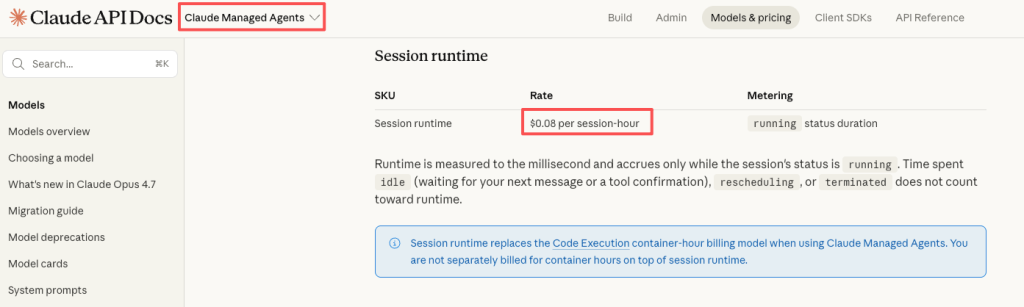
In practice, for a lead follow-up agent running maybe 2-3 hours of active session time per week, you’re looking at something like $20-60/month in infrastructure costs, depending on how chatty the prompts are. Plus the developer time to set it up (one-time).
Compare that to:
The math looks great. But — and this is the honest part — the $20-60/month only works after you’ve done the setup. The setup is where the real cost sits. Either it’s your time (learning the API), or a developer’s time ($80-150/hour for 10-20 hours), or a monthly subscription to a product that did the wrapping for you.
Nothing about this is free.
Yes to the API key. Yes to at least some comfort with code, or a developer who has it. Claude Managed Agents is API-only — there’s no web-based no-code builder for it today.
Through MCP — yes, to a lot of them. Slack, GitHub, Shopify, Notion, Sentry, and a growing list of services have remote MCP servers available. You reference them when creating the agent, register credentials in a vault, and the agent can use those tools in its sessions.
Depends what you set up. If you left the default always_ask policy on critical tools, the agent will stop and ask you before it does anything destructive. If you turned that off for speed, you’re relying on the agent’s judgment — and yes, it will sometimes get things wrong. Start conservative. Loosen the reins over time.
There’s no dedicated free tier for Managed Agents. You pay per use. You can start small — spin up one agent, run a short session, see what it costs. No monthly minimum.
They’re different categories. ChatGPT (the chat interface) is built for conversation — you ask, it answers, the session ends. Managed Agents is built for execution — the agent runs autonomously, hits tools, maintains state across hours. For “write me a caption,” ChatGPT is faster and cheaper. For “check competitor pricing every Monday and update my sheet” — ChatGPT can’t really do that unattended. Managed Agents can.
Start with the question most people skip: is your bottleneck really the execution layer? Because if you don’t have a workflow you’ve already run manually ten times, automating it is premature. You automate what you’ve proven. You don’t invent a workflow inside an agent.
Pick the one task you do every week that you hate most. If it’s lead follow-up, start there. If it’s reporting, start there. Get one thing running reliably — then expand.
That’s how this actually works. Not “replace your SaaS stack.” Just: move one thing from your plate to a system that doesn’t get tired.